
A backend is the part of an app that runs on a server instead of in the visitor's browser. It stores and fetches data, checks who is logged in and what they are allowed to do, keeps secret keys safe and talks to other services such as payment providers or email senders. The frontend is what people see and click; the backend is everything behind it that makes those clicks do something lasting.
If an app only shows information that never changes, it may not need a backend at all. The moment it has to remember anything, such as a signup, a booking or a saved setting, it needs one.
Frontend vs backend
A restaurant is the classic picture. The dining room is the frontend: the menu, the tables, the waiter taking your order. The kitchen is the backend: where orders are checked, food is made and stock is tracked. Guests never walk into the kitchen, but nothing happens without it.
- Where it runs: the frontend runs in the browser on the visitor's device; the backend runs on a server you control.
- What it is made of: the frontend is HTML, CSS and JavaScript, often built with React; the backend is server code, such as Python with FastAPI, or Node, plus a database.
- Who can see it: anyone can view the frontend code in their browser; the backend code stays private.
- What it does: the frontend draws screens, handles clicks and shows results; the backend saves data, enforces rules and calls other services.
- What it must never hold: the frontend must never hold secret keys or rules that protect data, while the backend is where those belong.
That last point is the one that matters most for safety. Anything in the frontend can be read and changed by a curious visitor. Rules like "only the owner can see this booking" have to be checked in the backend.
What lives in the backend
Most backends do the same handful of jobs.
- Data storage. Saving and reading records: users, orders, posts, signups.
- Authentication. Checking that someone is who they say they are, usually with a password, a magic link or a Google login.
- Authorisation. Deciding what each user may do, such as editing only their own posts.
- Business rules. Calculating prices, checking stock and validating forms on the server, because checks in the browser can be skipped.
- Integrations. Calling payment, email, maps or AI services with secret keys that must stay hidden.
- Files. Accepting uploads and serving them back securely.
- Background work. Sending a reminder email tomorrow, resizing an image, cleaning up old data.
Databases
The database is where the backend keeps data so it survives restarts. There are a few common kinds.
- SQLite stores a whole database in one file. It is simple, fast for small and medium apps and needs no separate server.
- PostgreSQL and MySQL are database servers that many apps share as they grow, with more tools for scaling and backups.
- Document databases such as MongoDB or Firestore store flexible records instead of fixed tables.
For a first app, the choice matters less than people think. What matters is that only the backend talks to the database, and that the backend checks every request.
APIs, how the frontend talks to the backend
The frontend and backend talk through an API, a set of addresses the backend answers. For example, a booking app might have:
- POST /api/bookings to create a booking.
- GET /api/bookings to list the logged-in user's bookings.
- DELETE /api/bookings/42 to cancel booking number 42, if it belongs to you.
The frontend sends a request, the backend checks it, does the work and replies with data, usually as JSON. The same backend can serve a website, a phone app and other services. This is also how your backend talks to outside services: it calls their APIs, using keys that only the server knows.
One request, start to finish
Follow a single click to see how the pieces fit. Someone on a grooming studio's site presses Book now.
- The frontend gathers the form fields and sends them to POST /api/bookings as JSON.
- The backend checks the request: is every field present, is the date in the future, is the slot still free?
- It reads the logged-in user from their session, if the app has accounts, so the booking is tied to the right person.
- It saves the booking in the database.
- It calls an email service with a secret key from its settings to send a confirmation.
- It replies to the frontend with the new booking, and the frontend shows a thank-you screen.
Every step after the first happens on the server. If any check fails, the backend replies with a clear error and nothing is saved. That is the backend's real job: making sure the only things that happen are the things that should.
How VibeDream builds a FastAPI backend for each app
When you describe an app on VibeDream, you get both halves in one project: a React frontend and a FastAPI backend in Python. You do not have to set up servers.
The Aesthetic Waitlist template is a good real example of what the backend does.
- backend/main.py creates the FastAPI app, exposes a /health check and serves the built React pages.
- backend/waitlist.py handles POST /api/waitlist to save an email and GET /api/waitlist/count for the live counter.
- Signups are stored in a SQLite database file on the server. If storage cannot be written, the API returns an error instead of quietly losing signups.
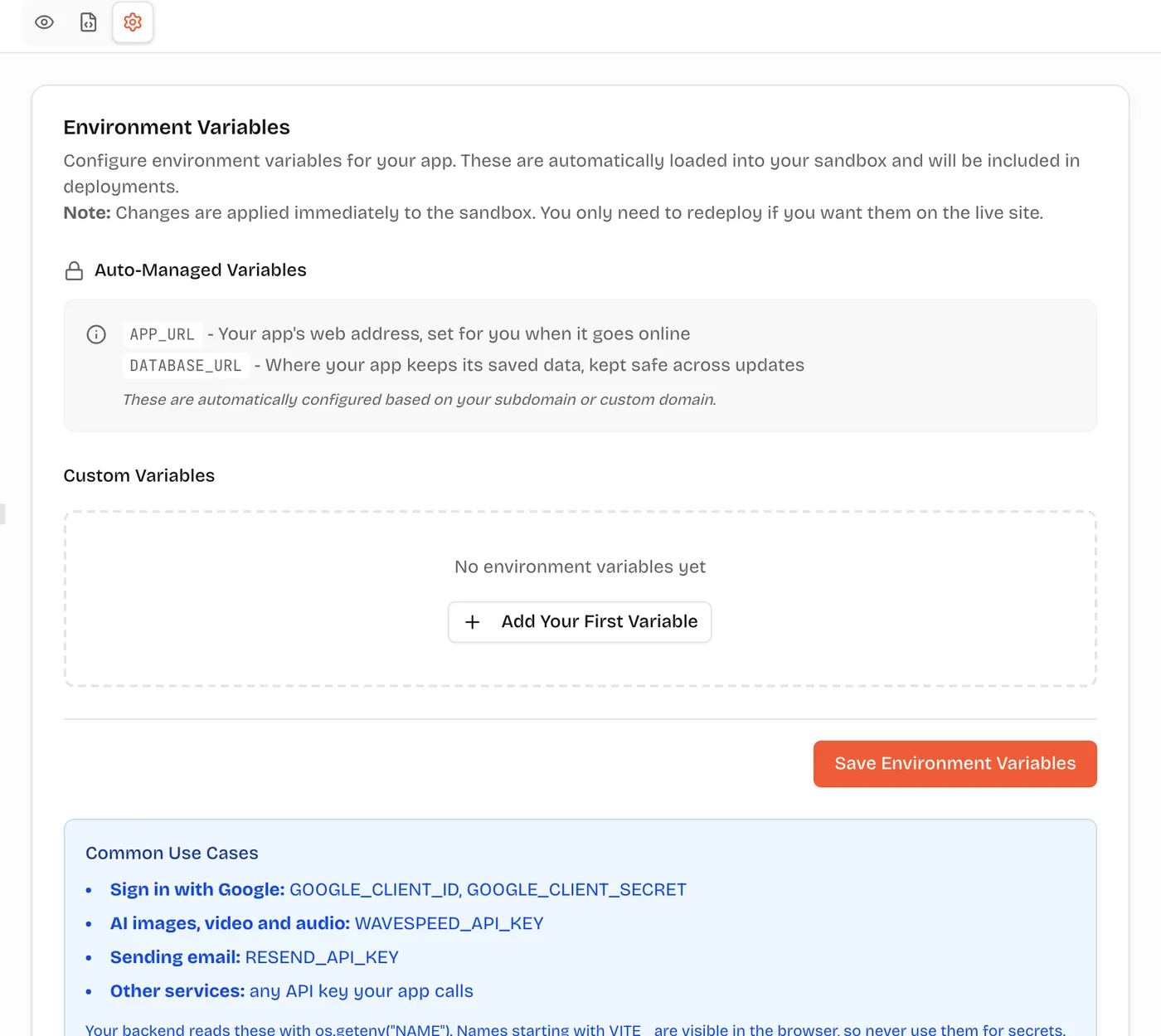
- Secret keys you add in the project's Settings tab are read by the backend on the server, never sent to the browser. Names starting with VITE_ are the exception: those are built into the page, so never use that prefix for a secret.
- File uploads use VibeDream's built-in storage, with short-lived signed links and the storage key kept on the server.
On VibeDream, built-in login and database work with one tap: tap Add login or Add database under the chat. One-tap payments are coming soon. You can also ask the AI to build these features into your app's own backend, and for real card payments today you connect your own Stripe account. Either way, you can read every backend file in the Code tab, download a ZIP or sync to GitHub.
Do you need a backend?
- A one-page site that only shows information: no backend needed. Static hosting is enough.
- A site with a contact form that should save or email messages: a small backend, or a form service.
- An app with accounts, saved data or payments: yes, always.
- A game with a high-score table shared between players: yes, for the scores.
If you are unsure, start without and add one when the app needs to remember something.
Backend words you will hear
- Server: the computer, or virtual computer, that runs backend code.
- Endpoint: one address in the API, like POST /api/bookings.
- Environment variable: a setting such as a secret key, stored outside the code.
- Migration: a controlled change to the database structure.
- Framework: a toolkit for writing backends, like FastAPI, Flask, Django or Express.
- Backend as a service: a hosted backend you configure instead of writing, such as Supabase or Firebase.