
Getting started
From an idea to a live app or game
Describe what you want in plain words. VibeDream builds it, shows you a live preview in seconds, and puts it online when you're ready. No coding needed.
Create your account
Sign up with Google or your email at vibedream.ai/register. Building uses credits, which come with your plan. You can see your balance in the sidebar and top up any time from Buy Credits.
Describe your app or game
Tap New Project, choose Direct Prompt and tell the AI what you want, the way you would tell a friend. You can type, tap the microphone to talk, or attach a screenshot or sketch of something you like.
- “A booking page for my dog grooming studio with services, prices and a booking form”
- “A habit tracker where I tick off each habit for today and see my streak”
- “A space shooter game where I dodge asteroids and collect stars for points”
Apps are built with React + FastAPI. If you describe a game, VibeDream builds it with Phaser, ready to play on phones and computers.
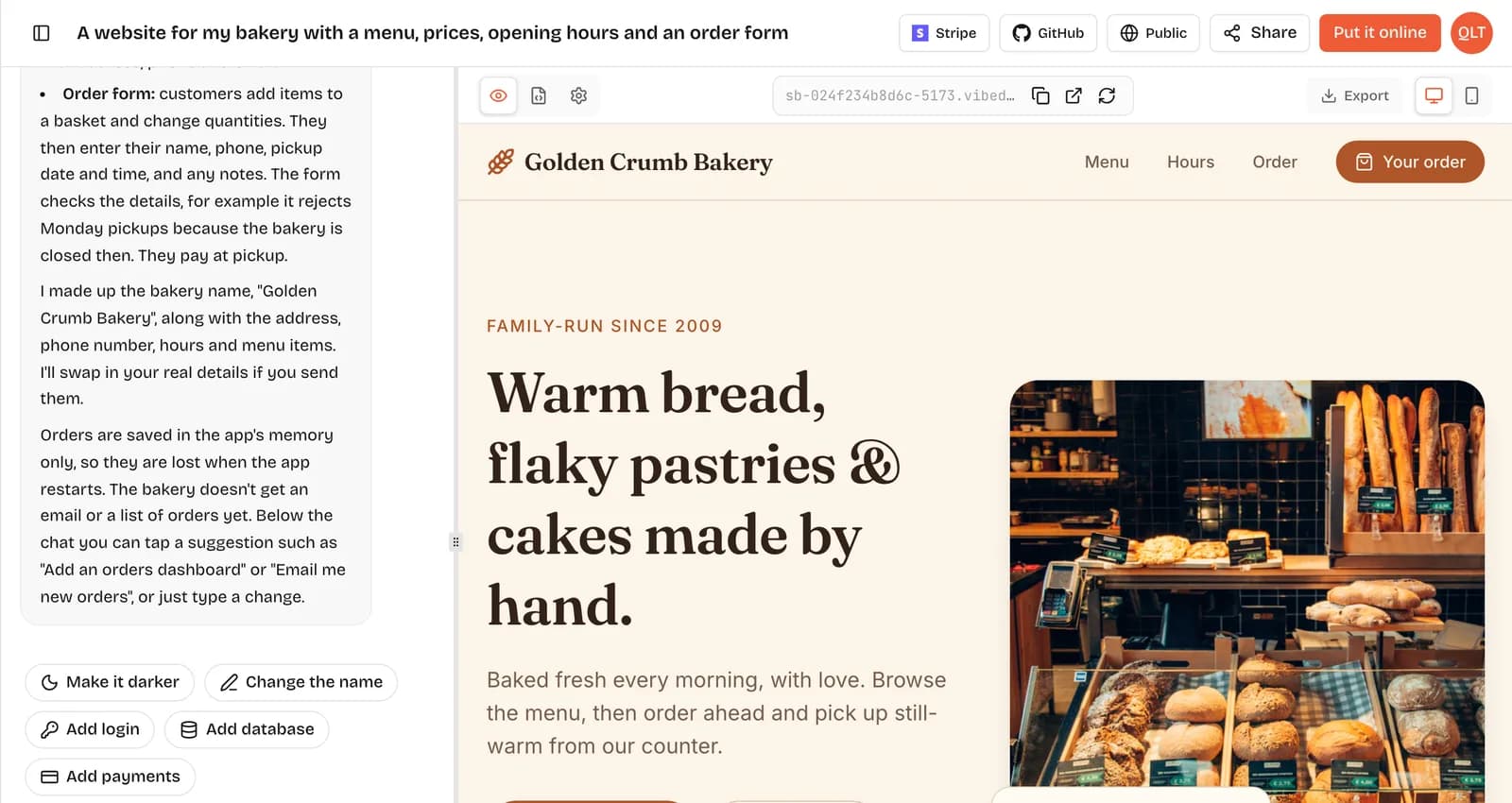
Or start from a template
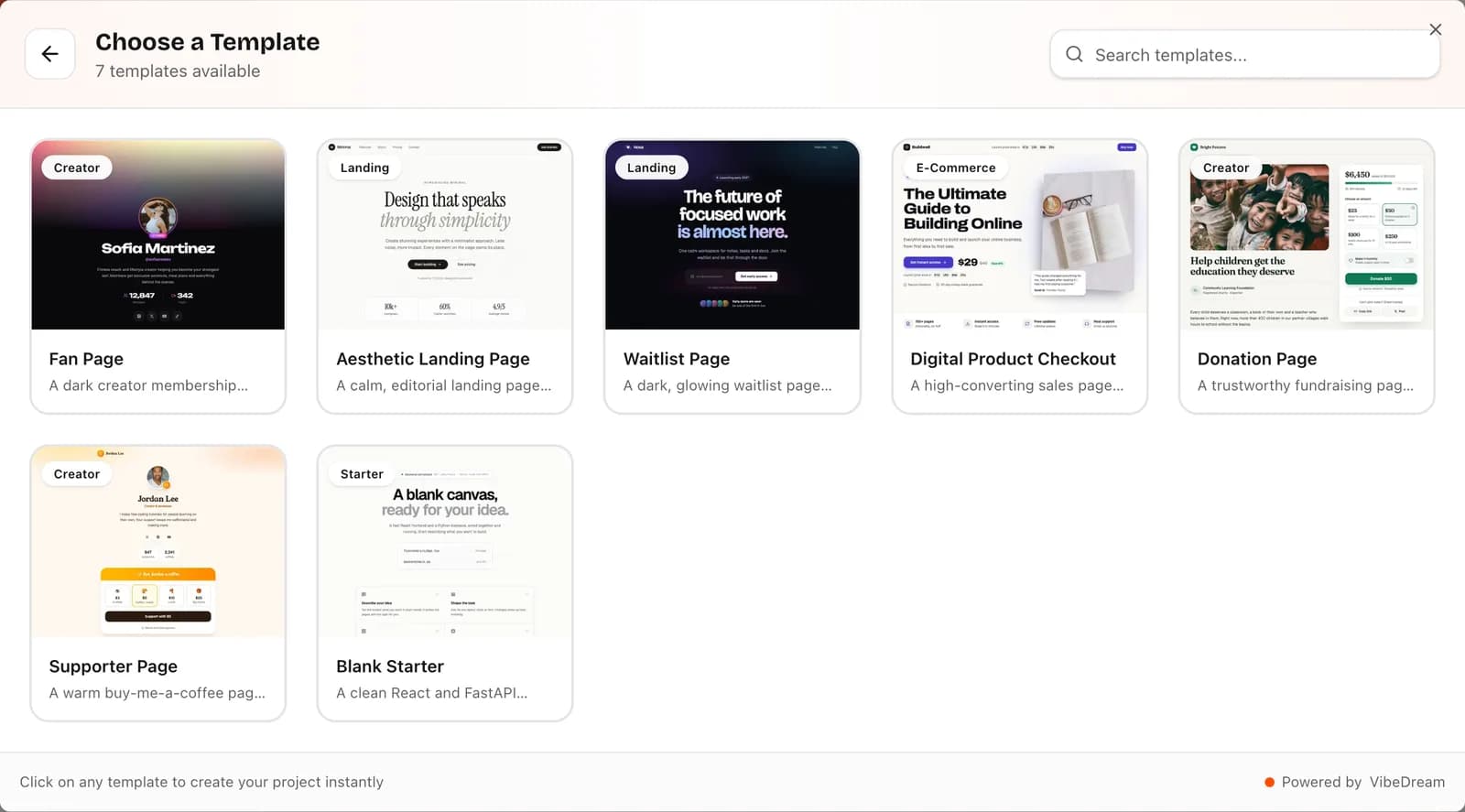
Want a head start? Tap New Project, then Use Template, or browse the template gallery. Each one is a finished page you can change by chatting:
- Aesthetic Landing Page
- Aesthetic Waitlist
- Donation Page
- Supporter Page
- Fan Page
- Digital Checkout
- Blank Starter
Try it in the live preview
Your app runs in its own private space and appears in the preview while the AI works. Click around, fill in forms and play your game. Switch between desktop and phone view, or open the preview in a new tab to see it full size.
On a phone, use the Chat and Preview tabs at the top to switch between talking to the AI and trying your app.
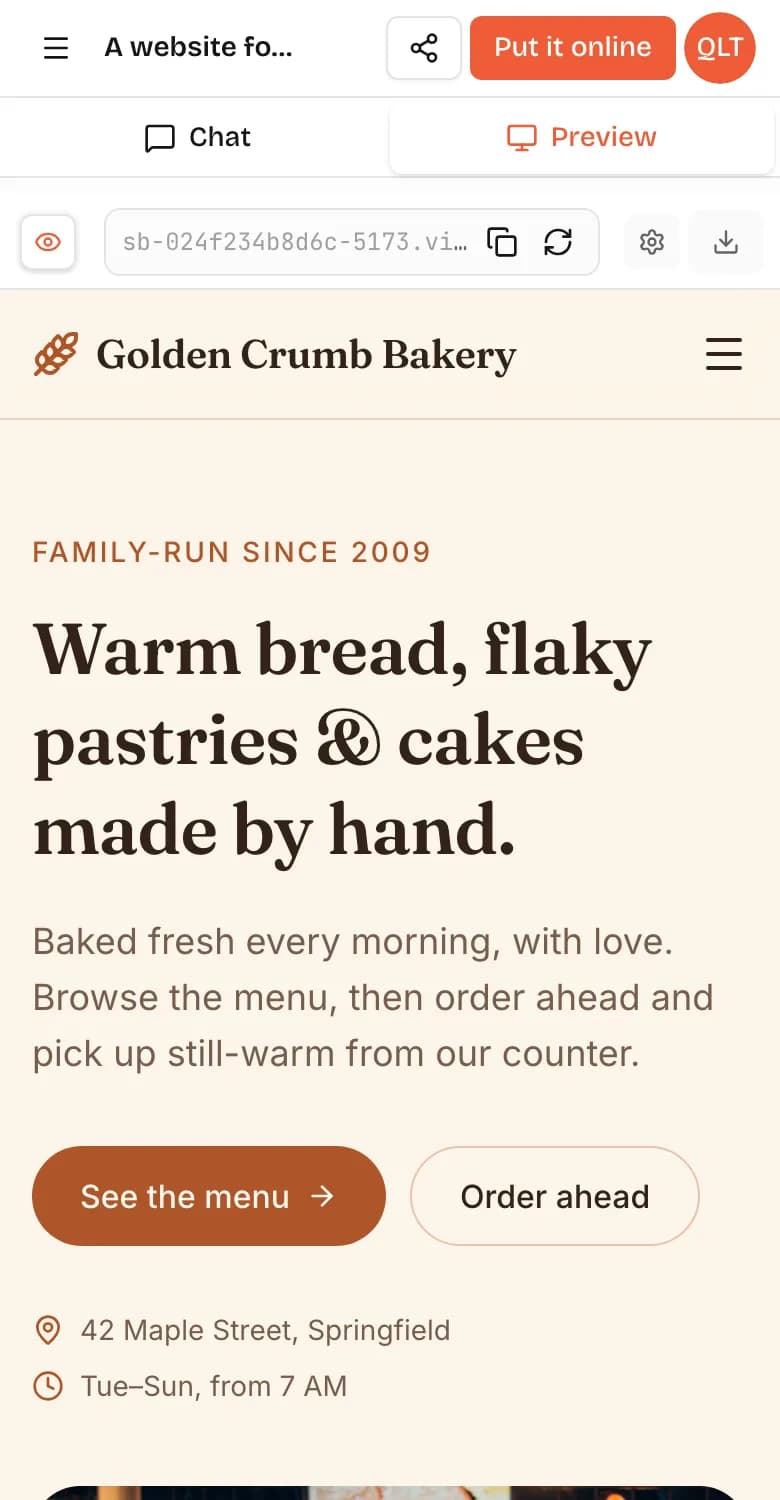
Change anything by chatting
Tell the AI what to change: “make the header darker”, “add a contact page”, “make the player jump higher”. Suggestions under the chat, like Make it darker or Change the name, do it in one tap.
Need accounts or saved data? Tap Add login or Add database, or just ask. To take real card payments, connect your own Stripe account with the Stripe button at the top of the project (on a computer). For photo or document uploads, see file uploads.
Set up for you
If something breaks, copy the error, paste it into the chat and the AI will fix it.
Put it online
Tap Put it online, pick a name for your free address (like your-app.vibedreams.ai) and press Put it online · 5 credits. It usually takes 1 to 3 minutes, and HTTPS is set up for you.
Your live site stays on that version until you press Update it. The full walkthrough is in the deployment guide.
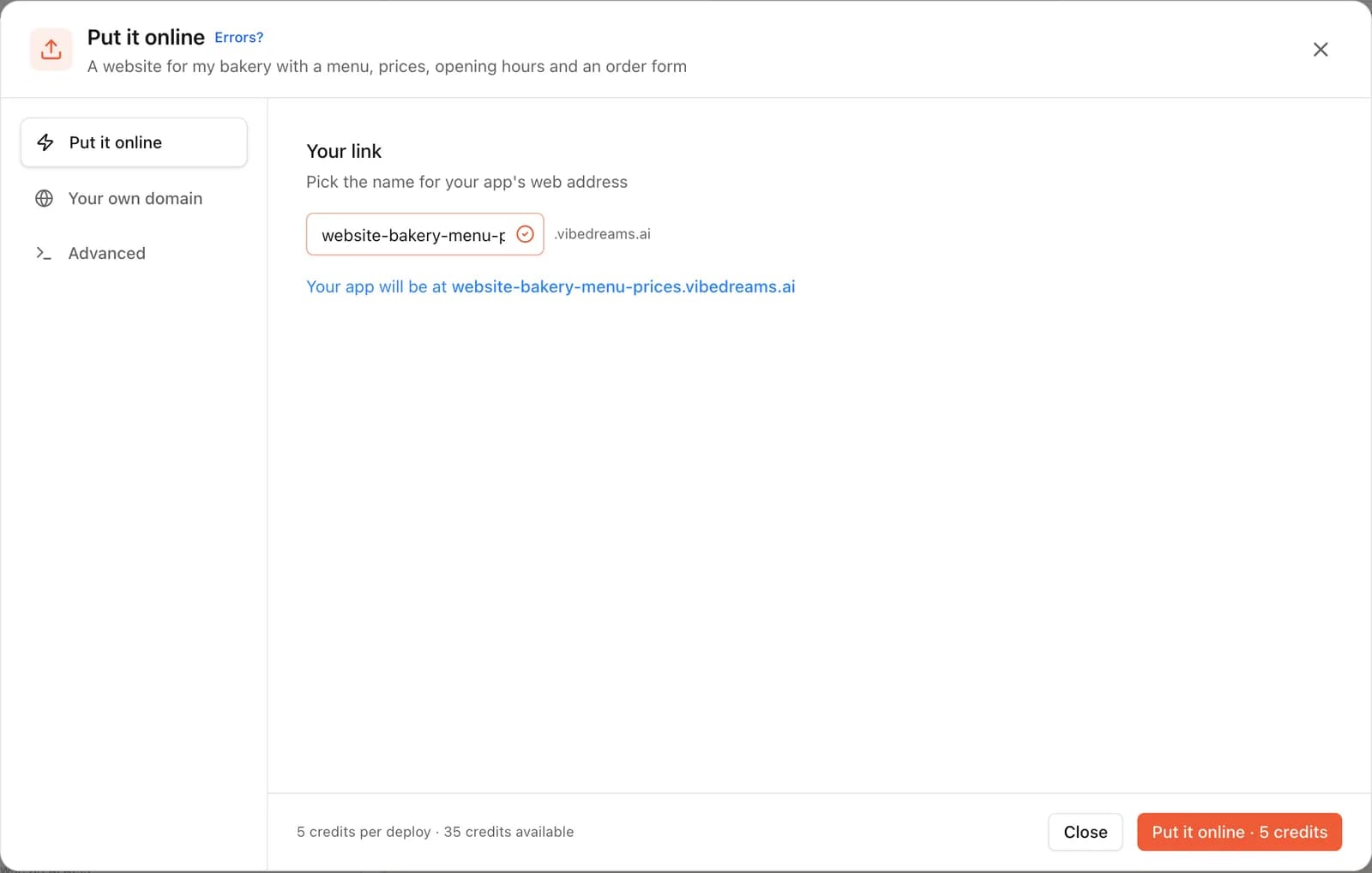
Use your own domain (optional)
Once your app is online, open Put it online, then Your own domain. Enter a domain like www.mybusiness.com and add the TXT and CNAME records we show you at the company where you bought it. We check automatically and switch on HTTPS when it's ready. Step by step: connect your own domain.
Your code is yours
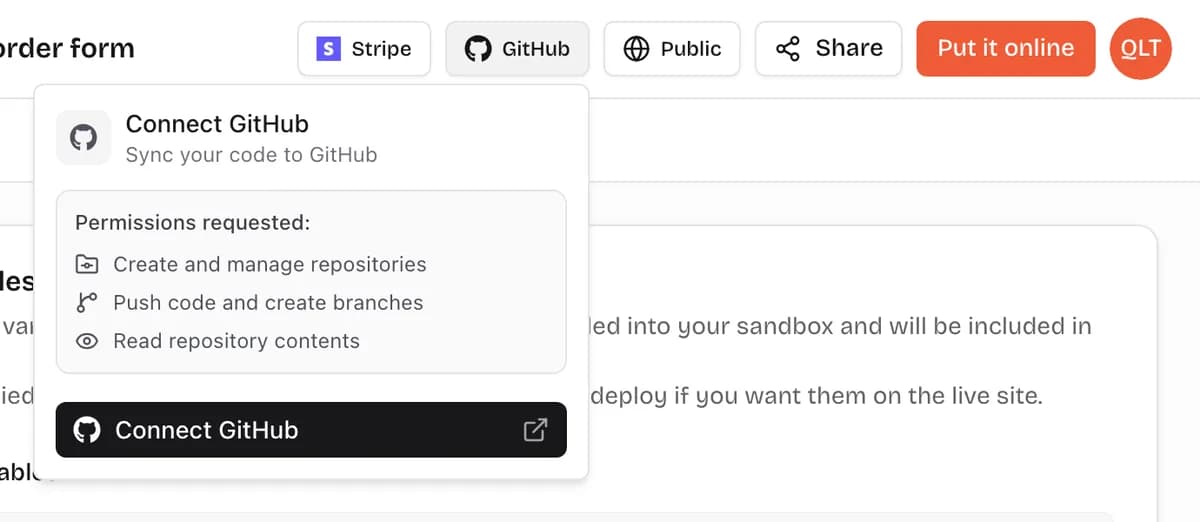
Open the Code tab above the preview to read every file. Use Export, then Download ZIP, to take a copy, or tap GitHub at the top of your project (on a computer) to sync it to your own repository.
Common questions
Do I need to know how to code?
No. You describe what you want in plain words, by typing, recording a voice note or adding a picture, and the AI writes the code. If you do code, the full source is yours to read and edit.
How fast will I see something?
Your live preview starts in seconds and fills in as the AI builds. A first version of a simple app or game is usually ready within a few minutes. Bigger ideas take a few more messages.
What does VibeDream build with?
New apps use React + FastAPI. Games use Phaser. Projects you started before the switch keep running on Next.js, so nothing you built breaks.
Can my app have logins, saved data or payments?
Yes. Tap Add login or Add database under the chat, or just ask, and VibeDream sets up sign-in and saved data for you, with no keys to copy. One-tap payments are coming soon. For real card payments now, connect your own Stripe account.
How much does it cost?
Building uses credits, which come with a monthly plan: All Access Mini ($49/month, 60 credits) and All Access ($97/month, 150 credits). Putting your app online costs 5 credits per update, and hosting plus a free vibedreams.ai address are included. Plans start at $49/month.
Do I own what I build?
Yes. You can download your code as a ZIP at any time or sync it to your own GitHub repository, and host it anywhere you like.
What if I get stuck?
Paste the error or describe the problem in the chat and the AI will fix it. If you still need help, open a ticket from the Support page or email hello@vibedream.ai and a real person will answer.
Keep going
- TemplatesStart from a ready-made page and change anything.
- Put it onlineFree web address, your own domain and GitHub.
- Your own domainConnect a domain you own with two DNS records.
- API keys and settingsAdd keys your app needs, safely.
- File uploadsLet people upload images, documents and videos.
- Video guidesShort walkthroughs of each step.
- What is vibe coding?The idea behind building by describing.
- Get helpTalk to a real person about your project.