
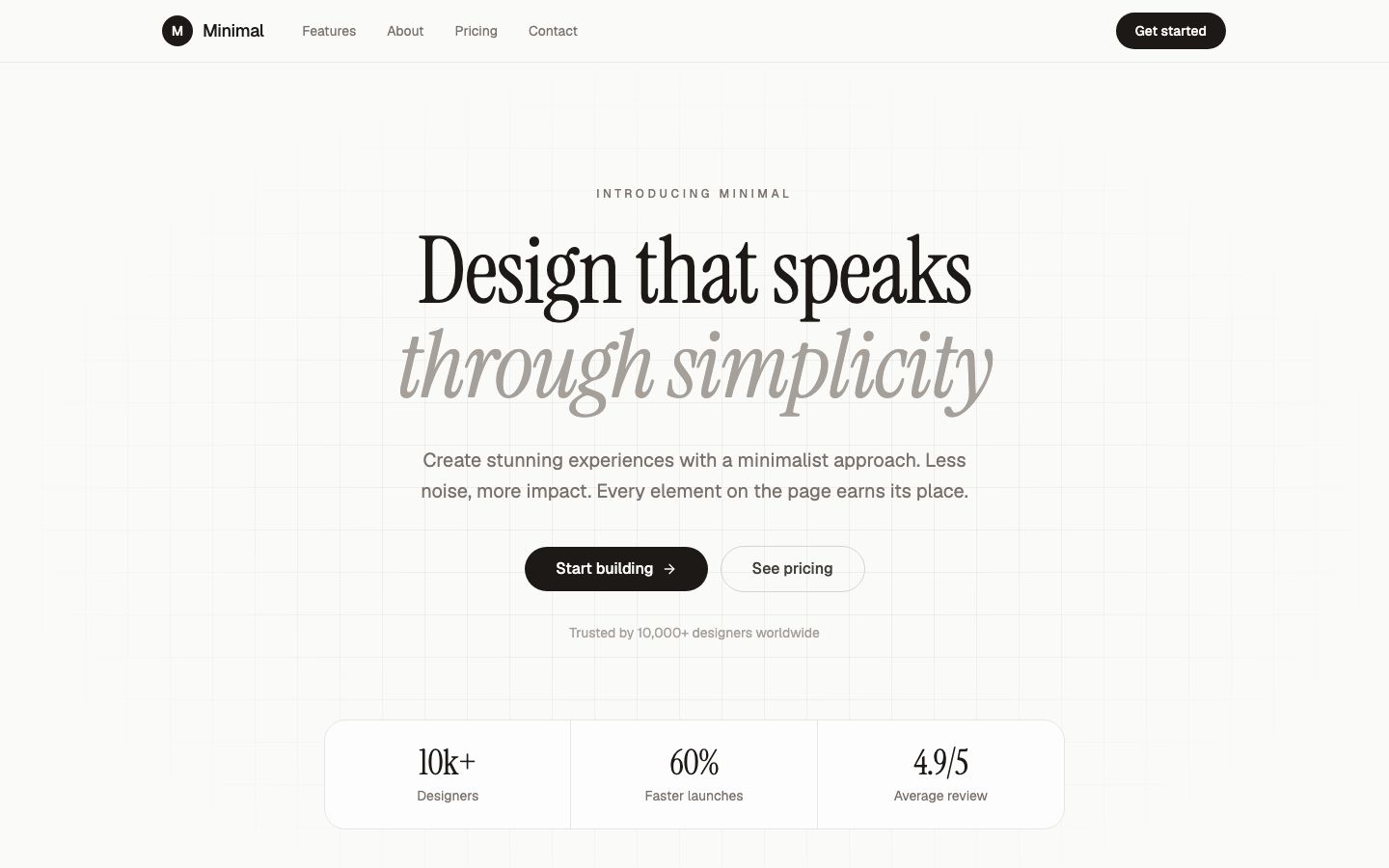
The Framer website builder is the best pick for people who think visually and care how every breakpoint looks. Its canvas works like a design tool, its hosting is fast and maintenance-free, and its AI agents now edit inside your existing project instead of regenerating it. It is a website builder, though, not an app builder. Sign-ins, dashboards and custom backend logic sit outside what it does well. And if you have never used Figma or a similar tool, expect a learning curve the marketing does not mention.
This review is written from the canvas outward, the way a designer would judge it. Prices and limits come from framer.com/pricing and features from Framer's AI page, both checked Oct 2026. Framer shows prices on yearly billing; monthly billing costs more. No timed build or invented scores appear here.
The canvas gives you real control
Most AI site builders let you swap sections. Framer lets you place things. Layouts use stacks and grids that behave like auto layout in a design tool, components carry variants, and each breakpoint can differ where it needs to. Interactions and scroll effects are set visually rather than by picking from a short preset list. A designer coming from Figma will recognise most of the panel quickly.
That control is the main reason to pay for Framer. If your site needs to look unlike a template, very few builders get you closer without writing code.
How far the CMS and localisation stretch
The CMS handles blogs, case studies, team pages and directories, with collection pages designed once on the canvas. The limits are where planning matters. Basic is fixed at 30 pages, 2 CMS collections and 1,000 CMS items. Pro starts at 150 pages, 10 collections and 2,500 items, then scales with usage: $20 per 100 pages up to 700, $40 per 10 collections up to 40, and $20 per 10,000 items up to 40,000. A content-heavy marketing site can outgrow Basic in its first quarter.
Localisation is an add-on on both paid plans: up to 20 translation locales at $20 per locale, translated with AI. Pro also adds site redirects, a staging environment and branching with previews, which matter more than they sound once a team is publishing weekly.
What the AI agents actually do
Framer's AI page describes agents that create editable pages, sections, copy and visuals directly in your project. The useful part for a designer is that they edit what is already there. You can ask for a new pricing section in the existing style, have the agent create and fill a CMS collection, or describe an interaction and get a custom code component. Before publishing, an agent can flag contrast problems, typos, missing alt text and SEO gaps. Content can be imported from Notion, WordPress or other APIs, and AI edits can go to a branch so you can review them safely.
Framer also connects outside coding agents such as Claude Code, Cursor and Codex through its MCP server, which is free while in preview. AI use is metered in credits: 500 to try on Free, 1,000 a month on Basic and 3,000 on Pro, with higher tiers you can buy and credits addable anytime. Treat the agents as a fast junior on the team. They save time on structure and copy, and you still make the design calls.
What one site costs, and what a team adds
- Free: $0 on a Framer domain, 1GB bandwidth, 500 AI credits to try.
- Basic: $10 a month. Custom domain (a complimentary domain is included on yearly billing), 30 pages, 2 CMS collections, 50GB bandwidth, 1,000 AI credits a month, 30 days of analytics.
- Pro: $30 a month. 150 pages and 10 collections to start, 100GB bandwidth, 3,000 AI credits a month, 90 days of analytics, redirects, staging and branching.
- Enterprise: custom, with SSO, SCIM, an uptime guarantee and unlimited editors.
Seats are where a single price becomes a team price. The workspace owner and viewers are free. Each additional editor who designs and publishes is $20 a month, and content editors who only update the CMS and on-page copy are $10. So a startup on Pro with one extra designer and a content editor pays $30 plus $20 plus $10, or $60 a month per site. Two translation locales add another $40 at the listed rate. Bandwidth beyond the plan costs $40 per 100GB on Pro, and A/B testing is $50 per 500,000 events.
Where non-designers get stuck
- Responsive layout. Framer will let you build a desktop page that breaks on a phone. You need to check every breakpoint.
- Too many choices. A blank canvas is freeing for designers and paralysing for a shop owner who just wants a site by Friday. Durable or Wix get those people online faster.
- Components and variants. Powerful, and confusing until you understand them. Copy-pasting instead leads to sites that are painful to update.
- Anything app-like. Member areas, user accounts, dashboards and server logic need outside tools or code components.
If that list describes you, our Durable review covers the fastest path for a service business, and the Wix review covers the all-rounder.
When the project is really an app
Framer is the right tool for the marketing site. When the thing behind the site needs logic, such as a quote calculator, a waitlist that stores sign-ups, or a small client area, an app builder fits better. VibeDream builds a React front end with a FastAPI backend in Python from a chat, and you can attach a screenshot of your Framer design as a starting point. The Aesthetic Waitlist template is a quick place to start. Putting it online costs 5 credits per publish, with hosting and HTTPS included. You can download the code or sync it to GitHub.
Be realistic about the trade. VibeDream does not have Framer's canvas, CMS editor or design control. Its built-in login and database work with one tap, and its one-tap payments are coming soon. Plans start at $49 a month with no free plan. Many teams will run both: the marketing site on Framer and the app on a subdomain like app.yourbrand.com.
- You or someone on the team is comfortable in a design tool.
- The site is marketing, portfolio, blog or launch pages.
- You want no plugins and no hosting chores.
- You will check the CMS limits against your content plan before choosing Basic.