
An event landing page has one job: get the right people to register. Put the what, when and where in the first screen, give a reason to come, show the agenda and speakers, and keep the RSVP form short. In VibeDream you describe the event in one prompt and get a page whose RSVP form saves every signup, stops at your capacity, offers a waitlist when full and lists attendees on a private page you can export. The example is an evening meetup with three talks and 80 places.
What makes people register
- The essentials up top: event name, date with day of week, time with time zone, place or online, and the RSVP button.
- A concrete reason to come: what attendees will learn, meet or get, in three short lines.
- Who is speaking or hosting, with photos and one line each on why they are worth hearing.
- The agenda, so people can plan their day and judge if it is worth it.
- Practical details: the ticket price or that entry costs nothing, accessibility, what to bring, and parking or how the joining link arrives.
- Honest urgency: real places left or a real deadline. Fake countdowns that reset damage trust.
Example event page
Picture a local meetup: Bristol Product Night, an evening of three short talks for people who build software products. The page has a hero with the date, time and venue, a Save my spot button and a countdown; a What you will get section; three speaker cards; a simple agenda; a venue section with a map and accessibility notes; an FAQ; and the RSVP form with a live count of places left. After the event, the same page swaps to Thanks for coming, with links to the slides and a signup for the next one.
The prompt to build it
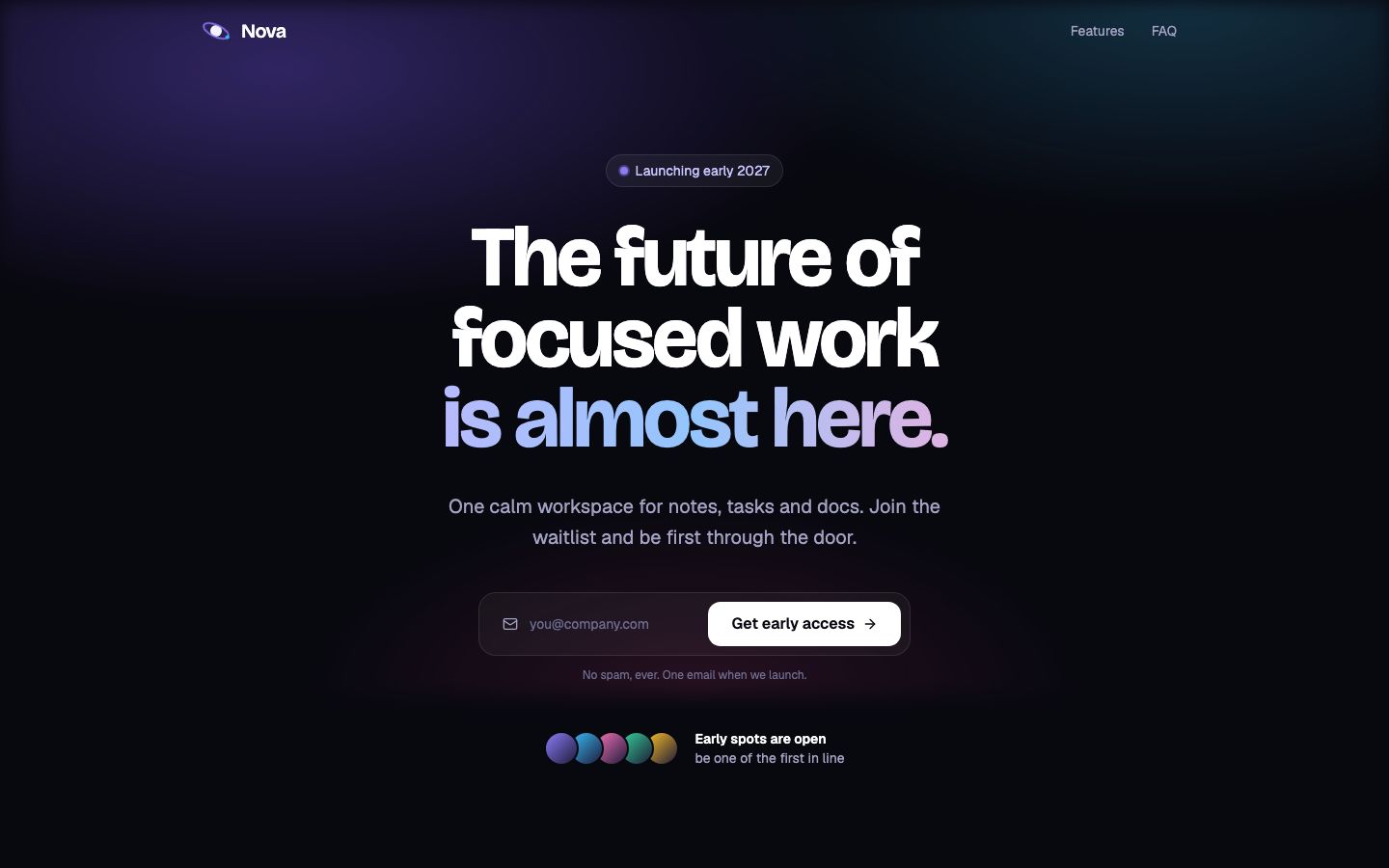
An event landing page for Bristol Product Night, Thursday 19 November, 6:30pm to 9pm UK time, at The Engine Room, Bristol. Sections: hero with date, time, venue, a Save my spot button and a countdown to the start; What you will get (3 points); three speaker cards with photo, name, role and talk title; agenda with times; venue with map embed, step-free access note and nearest bus stops; FAQ; RSVP form with name, email, company optional, dietary needs. Capacity 80: show places left, close the form when full and offer a waitlist instead. Save every RSVP and list them on a private page behind a passcode with a CSV export. Bold and friendly, black, white and a bright yellow accent. Phone first.In VibeDream, tap New Project, choose Direct Prompt and paste it with your details. If you prefer to start from a design, the Aesthetic Landing template gives you a polished one-page base to adapt, and the Aesthetic Waitlist template, pictured above, already saves signups and shows a live count, which you can repurpose as an RSVP list by asking for the extra fields.
The RSVP form and where signups go
Ask only for what you will use. Every extra field loses a few registrations. Name and email are enough for most unticketed events; add dietary needs if you serve food and company if sponsors need numbers. Then test the form properly before sharing the page.
- Submit a test RSVP and check it appears on the private page, then reload to make sure it was saved.
- Set capacity to 2 temporarily, submit three RSVPs and check the form closes and the waitlist appears. Then set it back.
- Submit the same email twice and decide what should happen. Usually: show a message that you are already registered.
- Export the CSV and open it in a spreadsheet to check the columns.
For confirmation and reminder emails you need an email sending service. Add its key in project settings, as shown in the API keys guide, then ask the AI to send a confirmation on RSVP. Until that is set up, the thank-you screen should say what happens next, such as add it to your calendar, without promising an email.
Countdown and agenda
- Make the countdown use the event's own time zone, and show the time zone next to the time.
- After the start time, replace the countdown with Happening now or This event has ended.
- Keep the agenda as a simple list with times. Mark breaks and networking.
- Add an Add to calendar link so people can save the date in one tap.
Webinar landing page variant
A webinar landing page needs the same structure with a few changes. Lead with the topic and the outcome rather than the venue. Show the time in the viewer's own time zone as well as yours. Explain how people will join, usually a link sent before the start from the webinar tool you use. Mention whether a recording will be shared, because some people register only to get the recording.
- Headline: the result, such as Price your first product in 45 minutes.
- Who it is for and who it is not for.
- What you will cover, as three to five points.
- Your host and their relevant experience.
- Registration form with name and email, plus one qualifying question if you need it.
VibeDream does not host the video stream itself. Use the webinar or meeting tool you already have, and use the landing page to register people and collect their emails.
After the event
An event page keeps working after the doors close. The day after, swap the hero for a thank-you, and turn the page into a record of what happened and a way into the next one.
- Replace the countdown and RSVP form with a thank-you message and a signup for the next event.
- Add slides, recordings or photos, with speakers' permission.
- Email attendees from your exported list with the links and one question: what should the next event cover?
- Keep the page online. Past events show sponsors and speakers that the series is real.
- Duplicate the project for the next event, or ask the AI to add a Past events section and reset the form for the new date.
Promoting the page
Share the link where your audience already is: the community group, the newsletter, the speakers' own channels. Give speakers a short message and the share image so they can post it in a minute. Send one reminder a week before and one the day before to people who have not registered yet, and post the places-left count when it gets low. A real places-left number does more than any adjective.
Your domain and sharing
Press Put it online and the page goes live at an address like product-night.vibedreams.ai with HTTPS. Each publish or update costs 5 credits, so batch your edits before updating. For a branded link, connect a subdomain such as events.yourcompany.com by adding the TXT and CNAME records shown at your registrar; HTTPS switches on automatically. The deployment guide has the steps. Give the page a clear title and a share image so it looks good when posted in group chats and on social media.
VibeDream plans start at $49 a month with 60 credits. If you run events regularly, keep the project and reuse it: ask for the next date, new speakers and a fresh RSVP list. For general landing page structure and copy, see how to make a landing page.