
Here is how to make a game website in short. You need browser games that people can play from a link, a place to host them, and a home page that sends players to each one. An AI builder can do all of it. On VibeDream you describe each game, put it online so it gets a link, a play page and a leaderboard, then build a simple home page that links to all of them and connect your own domain. This guide walks through each step, plus what changes if the site is for a school.
What a game website needs
- Games that run in the browser. HTML5 games play on phones, tablets and laptops with no download, which is what makes a game site work.
- A page for each game. The game itself, its name, how to play, and ideally a leaderboard so people come back.
- A home page. Your name or brand, a grid of games with a picture and one line each, and a clear play button.
- An address. A link people can remember, or your own domain.
- HTTPS. Browsers warn about sites without it, and many school and work networks block them.
You do not need a server you manage, ads, or accounts for players. Those are choices you can make later.
Your hosting options for browser games
- A game portal such as itch.io. Good for reach, but your games sit on their site, next to everyone else's, under their design.
- Static web hosting. If you write games yourself, any static host can serve the files. You handle uploads, the domain and the leaderboard yourself.
- A platform that hosts what you build. On VibeDream, each game you make can be put online with one button. It gets a vibedreams.ai address, HTTPS, and a play page with a leaderboard. Your own domain connects with two DNS records.
The rest of this guide uses the third option, since it is the only one where the games, the leaderboard and the home page are all built and hosted in one place.
Build the site with AI, step by step
Step 1. Make your first game
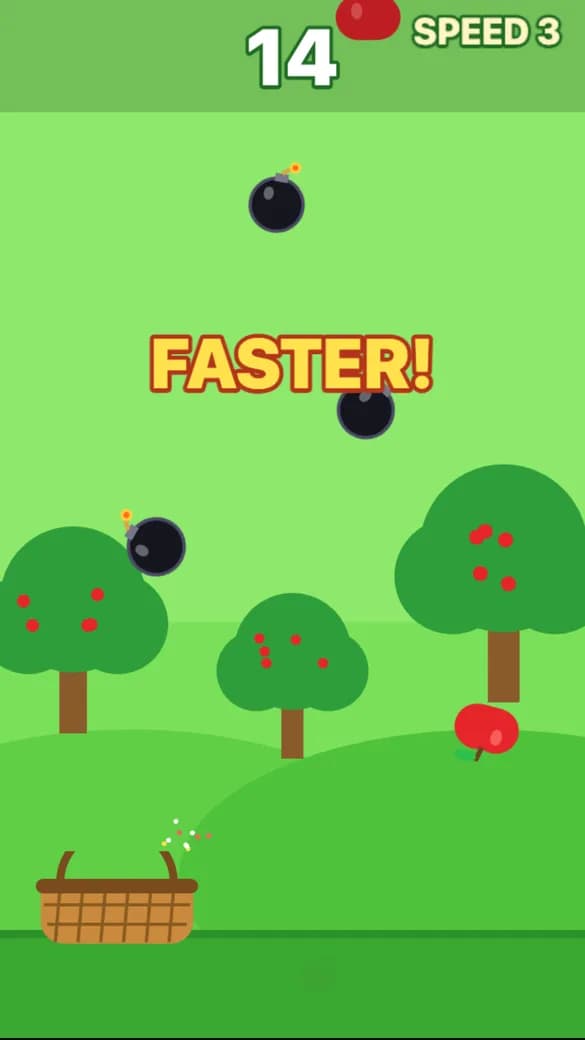
Start a new project and describe one small game. A short arcade game is the safest first pick. This is the prompt we used for the screenshot below:
A catch game where a basket at the bottom of the screen catches falling apples. Drag to move the basket left and right. Each apple is one point. Bombs fall too, and catching one ends the run. Everything falls faster every 15 seconds. Show the score at the top and the best score on the game over screen. Bright green orchard background.A playable preview came back in about 70 seconds and the build used 7 credits. VibeDream named it Apple Catch and gave it a title screen, a score at the top and a game over screen with the best score. Play it and change it by chatting until you like it. Our arcade game maker guide covers what we would tune next.
Step 2. Put it online
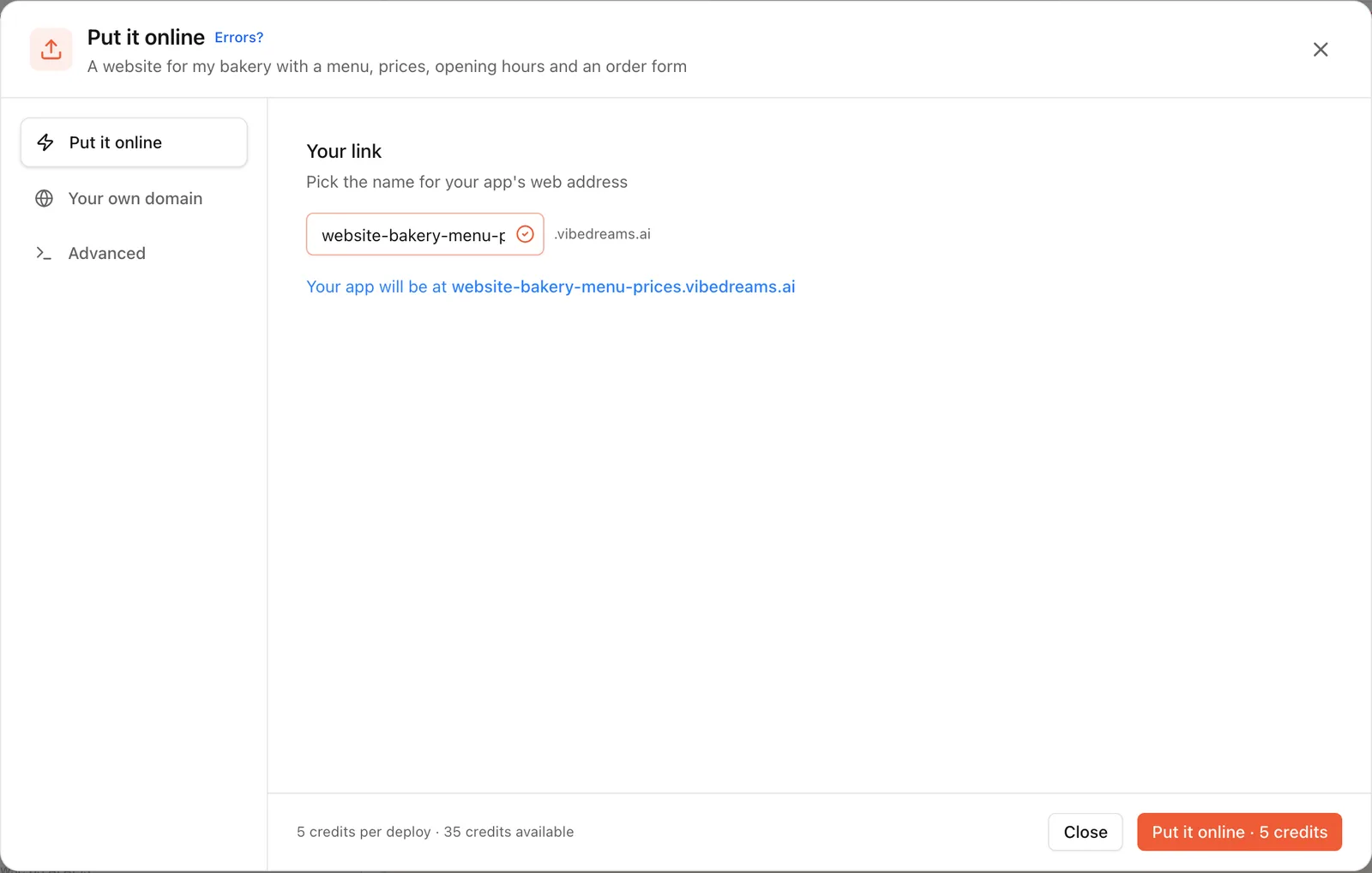
Press Put it online, pick a vibedreams.ai address, and publish. It costs 5 credits each time you publish or update, and HTTPS is set up for you. The game now has a link that anyone can open, and its own play page with the game, the top scores and a button to make your own.
Step 3. Make two or three more games
A game site with one game is a game page. Three to six games make it feel like a place. Vary them: one arcade game, one matching game, one platformer. Each is its own project with its own link and leaderboard.
Step 4. Build the home page
Now make a separate project for the site itself. Describe it as a web page, not a game: a home page called Sam's Arcade with a dark background, a big title, and a grid of game cards. Each card has a coloured tile, the game's name, one line about it, and a Play button that opens the game's link. Paste in the links from step 2. VibeDream builds web pages and apps with React, and you can also start from a layout like the Aesthetic Landing Page template and ask for it to become a game hub.
Step 5. Connect your own domain
Buy a domain from any registrar if you want one. In the Put it online window, open Your own domain, add the TXT and CNAME records it shows at your registrar, and wait for it to check them. HTTPS turns on by itself once the domain is verified. The deployment guide covers this with screenshots.
Leaderboards
A leaderboard is the single feature that makes people come back to a game site. Every VibeDream game that is online already has one on its play page, showing the top scores next to the game. Each game sends one score at the end of each run, and scores have to be whole numbers. A few tips:
- Design the score so higher is better. For games that measure time or moves, convert them to points.
- Make runs short. People retry a 60 second game far more than a 10 minute one.
- Put the top score in the share message. The play page's link preview shows the current top score when one exists, which is a good hook in a group chat.
- Reset the challenge. A new game each week, or a weekly theme, gives regulars a reason to visit.
Sharing and remixing
Each game's play page has a Make your own game button for new visitors, and signed-in players can remix the game into their own copy and change it with a prompt. That means your site can grow from your visitors: someone remixes your apple catcher into a pizza catcher, and they have a game of their own to share. If you want your games to stay exactly as you made them, keep that in mind before you share widely.
You can also keep each game's code. Download it as a ZIP or sync it to GitHub from a desktop, so the site is never locked to one place.
Notes for a school game website
Game sites for a class or a school club are one of the most common projects. A few things are worth checking before you share the link.
- Ask before you publish. Check your school's policy on student work and websites, and on what can be posted publicly.
- No full names. If games ask for a name for the leaderboard, use first names or nicknames.
- No personal photos of students without permission.
- Test on school devices. Open the site on a school laptop or tablet on the school network, since some networks block new domains until they are allowed.
- Nothing to install. Browser games run without downloads, which is usually the easiest option on managed school devices.
- Students under the age allowed by a service should not sign up for it themselves. A teacher can build and publish, and students can play from the link.
Keep it going
- Add one new game a month, and put the newest one at the top of the home page.
- Make a page of rules or how to play for each game.
- Ask players for ideas and build the best one live in class or on a stream.
- Make phone-friendly games first. Most visitors will be on a phone, and our guide on making a game on your phone covers what that means.
For the background on how browser games work and the tools behind them, see the HTML5 game maker guide.