
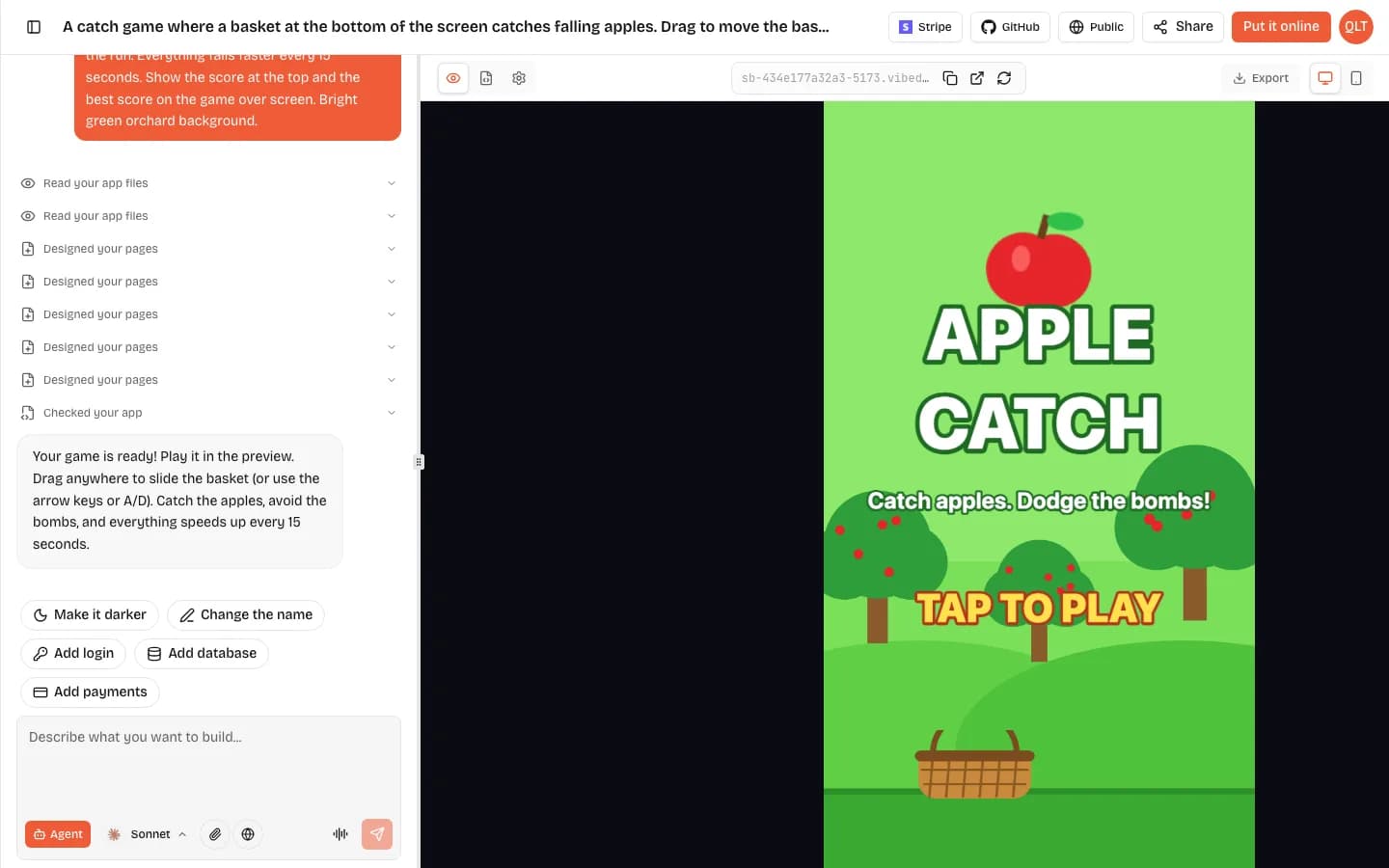
An HTML5 game maker, or HTML game maker, is any tool that produces a game which runs in a web browser, using the same HTML, JavaScript and canvas technology as a normal web page. You can make one three ways: write it with a code framework like Phaser, build it in a visual engine like GDevelop, or describe it to an AI game maker such as VibeDream, which writes the Phaser code for you and gives you a link to share. Describing is the fastest. In our own test a catch game was playable about 70 seconds after we sent the prompt. Writing the code yourself gives you the most control.
What makes a game an HTML5 game
HTML5 is the name people still use for the modern web platform. A browser game draws onto a canvas element, usually with WebGL for speed, reads keyboard, mouse and touch input, and plays sound through the browser's audio system. Nothing is installed. The player opens a link and the game loads like a web page.
That one fact shapes everything else:
- It works on almost any device: iPhone, Android, Chromebook, Windows, Mac.
- It is easy to share. A link in a group chat or a QR code on a classroom wall is all a player needs.
- It needs to be light. Players leave if a browser game takes long to load, so small, focused games do best.
- It lives on a web host. Someone has to serve the files, whether that is a game portal, your own site or the tool you made it with.
What it does not give you is an app store listing. A browser game is not a native iOS or Android app. You can add a link to a home screen, but if a store listing is the goal you need an engine that exports native builds.
The engines behind most HTML5 games
Phaser
Phaser is the most widely used open source framework for 2D browser games, under the MIT licence. You write JavaScript or TypeScript, and it gives you scenes, sprites, physics, input and sound. Phaser 4 is the current major version and Phaser 3 still powers most tutorials. Our Phaser 3 explainer has a small working example.
Kaplay
Kaplay is a smaller open source JavaScript game library, the community successor to Kaboom.js. It is quick to learn and good for game jams and simple arcade games, with fewer built-in systems than Phaser.
GDevelop
GDevelop is an open source engine with a visual event system instead of code. It publishes to its own gd.games site on every plan. Its free plan allows one Android and one desktop export a day, and iOS export is listed on its higher plans. It has an AI helper too. It suits people who want an editor and a path to app stores.
AI game makers
AI game makers write the code for you from a description. Most of them generate Phaser for 2D games, because it is plain JavaScript with a clear structure that AI models handle well. Rosebud AI and VibeDream both use Phaser for 2D. The difference between AI tools is mostly what happens after the code: where the game is hosted, whether you can get the code out, and how sharing works.
Build an HTML5 game from a prompt
Here is the flow on VibeDream, from a blank project to a game you can send to a friend.
- Open a new project and describe the game in one or two sentences. Say what the player does, how they win or lose, and how it gets harder. You can type, use voice, or attach a sketch.
- Wait for the first version. The AI builds a title screen, the game itself with a visible score, and a game over screen with your best score, and shows it in the live preview.
- Play it. Use the phone view in the preview to see how it feels in portrait.
- Change it by chatting. Ask for one change at a time: faster, a second enemy type, a new colour scheme, a boss at 500 points.
- Put it online. You get a vibedreams.ai link and the game gets its own play page with a leaderboard.
- Share it, and optionally connect your own domain with a TXT and a CNAME record.
A prompt that works
A browser game where a small rocket dodges falling asteroids. Drag to steer. Asteroids fall faster every 15 seconds. One point per second survived. Three lives, shown as hearts. Game over shows the score and best score. Dark space background, bright orange rocket.
This works because it names the verb (dodge), the controls (drag), the difficulty curve (faster every 15 seconds), the scoring (one point per second) and the fail state (three lives). Vague prompts like make a fun space game get you a generic result. Specific prompts get you your game.
Making HTML5 games work on phones
Most people will play your browser game on a phone, often in portrait, often with one hand. Good HTML5 game makers handle this for you, but it helps to know what to look for.
- Portrait layout that scales to fit any screen, without cropping the edges.
- One-thumb controls: drag anywhere to move, a single action button for jump or shoot, or simple taps on big targets.
- Sound that starts on the first tap, since mobile browsers block audio until the player touches the screen.
- Keyboard controls as well, so the same game works on a laptop.
- A short loop. A round that takes 30 to 90 seconds keeps people tapping play again.
VibeDream games are portrait first and come with a drag-anywhere joystick or an action button, plus arrow keys and space on desktop. In our catch game test we only wrote drag to move, and the AI added arrow keys and A and D on its own.
Sharing and hosting your HTML5 game
A browser game needs a home. Your main options:
- The tool's own hosting. Easiest. On VibeDream, Put it online gives a link and a play page with top scores, and signed-in players can remix it into their own version.
- Your own domain. Better for a club, school or brand. VibeDream connects a custom domain with two DNS records and turns on HTTPS automatically.
- A game portal such as itch.io, which accepts HTML5 uploads. Good for reaching people who browse for indie games.
- Your own website. If you have the code, any static web host can serve an HTML5 game. VibeDream lets you download the code or sync it to GitHub.
For the full picture of turning one game into a site with several games, see how to make a game website.
Mistakes that sink a first browser game
- Making it too big. Your first browser game should have one verb, one way to lose and one number to beat. Levels, stories and shops can come later.
- Testing only on a laptop. Open it on a real phone before you share it. Text that looks fine on a monitor is often too small in a hand.
- No reason to play again. A best score, a leaderboard or a time to beat turns a one-off into something people return to.
- Changing five things at once. Ask an AI builder for one change, play it, then ask for the next. When something breaks, you will know what did it.
- Forgetting the first ten seconds. Players decide fast. A clear title, one line on how to play and a big tap to start do more than extra features.
If you are new to the builder itself, the getting started guide walks through each screen, from the first prompt to putting it online.
Genre ideas that suit HTML5
- Arcade games like dodgers and shooters, which have short rounds and leaderboards.
- Platformers with jumping, gravity and a few levels.
- Quiz boards for classrooms and parties.
- Matching and memory games with your own words or pictures.
- Idle and clicker games with upgrades that save in the browser.