
A no-code backend is a way to give your app a database, user logins, file storage and APIs without writing or running server code yourself. Usually it means a backend-as-a-service, or BaaS, such as Supabase or Firebase: you create tables and settings in a dashboard, and your app talks to that hosted backend directly. The other route is a backend that is built into your app for you, which is how AI app builders like VibeDream work. Both save you from managing servers. They differ in where your rules live and how easy they are to get wrong.
What a backend has to do
Whatever you choose, a backend needs to cover the same jobs.
- Store data so it survives restarts.
- Know who the user is, through authentication.
- Decide what each user may read and change, through authorisation.
- Keep secret keys away from the browser.
- Store and serve files.
- Run logic that should not be trusted to the browser, such as prices, limits and emails.
A no-code backend gives you tools for most of these. You still decide the rules.
It helps to write those rules down in plain words before you pick a tool. For a booking app they might read: anyone can see the list of services; only logged-in clients can create a booking; clients can see and cancel only their own bookings; only the owner can see everyone's bookings. Four sentences like these turn into row-level security policies in Supabase, security rules in Firebase, or checks in a built-in backend. If you cannot write them down, no tool will get them right for you.
BaaS vs a built-in backend
There are two common shapes.
Backend as a service. You sign up for Supabase or Firebase, create tables or collections, turn on authentication and get a URL plus a public key. Your frontend calls the service directly from the browser. Access is controlled by rules you write in the service: row-level security policies in Supabase, security rules in Firebase. If a rule is missing or too loose, anyone with the public key, which every visitor has, can read or change data.
Built-in backend. Your app has its own server code that sits between the browser and the data. The browser calls your API, and your server checks every request before touching the database. On VibeDream, every app comes with a FastAPI backend like this, written by the AI from your description. There is no separate dashboard to configure, and the access checks are in code you can read.
- Where rules live: in a BaaS they are policies in the service's dashboard or rule files; in a built-in backend they are checks in your server code.
- What the browser talks to: in a BaaS, the database API directly with a public key; in a built-in backend, only your own API.
- Setup: a BaaS needs a separate account, keys and rules; a built-in backend comes with the app.
- Scaling: a BaaS is managed by the provider; a built-in backend depends on your host.
- Moving later: with a BaaS, data export varies and auth migration takes care; a built-in backend is ordinary code you can host elsewhere.
Options compared
Supabase
An open-source BaaS built on PostgreSQL, with authentication, storage, real-time updates and edge functions. On supabase.com/pricing, checked 25 October 2026, the Free plan gives a 500 MB database per project and 50,000 monthly active users, and free projects pause after a week of inactivity. Pro starts at $25 a month with 8 GB of disk per project and 100,000 monthly active users. Team starts at $599 a month.
Firebase
Google's BaaS, with Firestore, authentication, storage, hosting and cloud functions. The Spark plan has no-cost usage limits and needs no payment method. The Blaze plan is pay as you go beyond the free quotas.
Other tools
Spreadsheet-style databases such as Airtable often act as a no-code backend for tools like Softr and Glide. Visual backend builders let you design APIs with drag-and-drop logic. These are friendly, but check row limits and API rate limits before building something busy on them.
A backend inside an AI-built app
VibeDream apps are React + FastAPI. The AI writes the API endpoints, the data storage and the checks when you describe what the app should do. The Aesthetic Waitlist template, for example, saves every signup in the app's own SQLite database through its backend and shows a live count, with no outside service to set up. File storage is built in, with per-project storage and short-lived signed links. Built-in login and database work with one tap, and one-tap payments are coming soon. You can also ask the AI to build these features into your app's backend.
Security notes, RLS and rules
Most serious leaks in no-code and AI-built apps come from the same place: a browser that can talk to the database, plus rules that do not stop it. The public CVE-2025-48757 is the best-known example. It describes insufficient row-level security policies in Lovable-generated apps that used Supabase, allowing unauthenticated users to read or write tables. Lovable disputes the CVE, saying customers are responsible for their own app's data.
If you use a BaaS:
- Turn on row-level security for every table in Supabase, and write a policy for each action: select, insert, update and delete.
- In Firebase, never ship rules that allow read and write for everyone, even for testing.
- Test with the public key and no login. Try to read another user's rows.
- Keep service-role or admin keys on a server only. They bypass your rules.
If you use a built-in backend:
- Make sure every endpoint that returns private data checks the logged-in user.
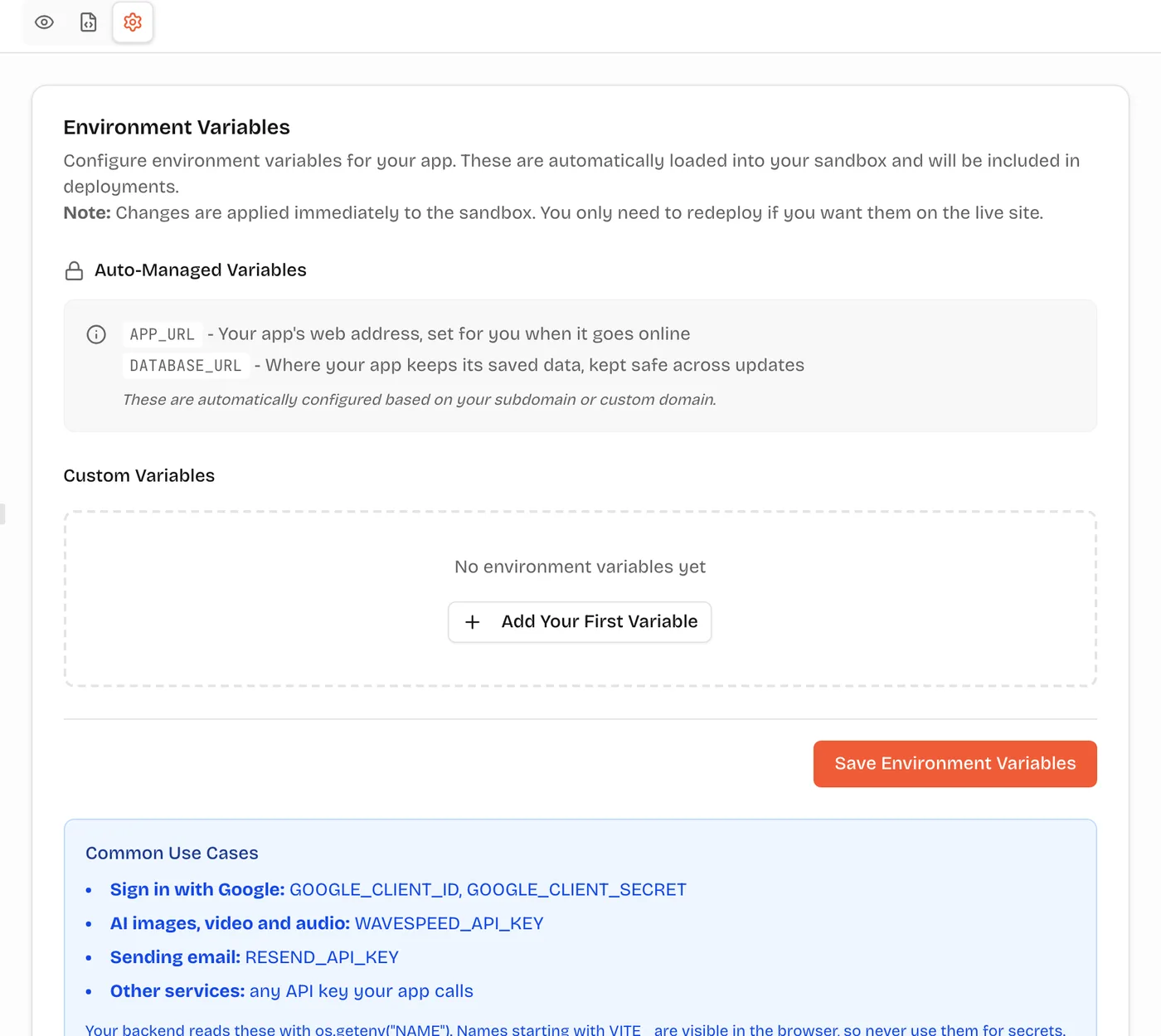
- Keep keys in environment settings; on VibeDream that is the Settings tab, read on the server.
- Test with two accounts, changing IDs in the URL.
When you need your own backend
A BaaS is a great fit when you want a hosted Postgres or document database with auth ready, and you are comfortable writing access rules. You will want a backend of your own, whether written by you or by an AI, when:
- You call paid services with secret keys, such as AI models, email or payments. Those calls must run on a server.
- Your rules are complex: pricing, limits, approvals, multi-step workflows.
- You want one place to log, rate-limit and audit what happens.
- You want the whole app, data and logic, in one codebase you can move.
Many apps use both: a BaaS for auth and data, plus a small server for the sensitive parts.
How to choose
- You want the fewest moving parts: a builder that includes the backend in the app.
- You are a developer who likes Postgres and wants auth and real-time features ready: Supabase.
- You are in the Google ecosystem or building with Firebase's mobile SDKs: Firebase.
- Your data already lives in a spreadsheet tool and the app is internal: Airtable with a no-code front end.
- Whatever you pick, decide who will write and test the access rules before launch.