
Vibe coding security comes down to a few repeat problems: secret keys that end up in the browser, databases that anyone can read, pages that check who you are but not what you may do, and code nobody has looked at. Vibe coding is safe enough for real apps if you treat those as your job, not the AI's. This guide explains each risk in plain words, walks through a real public case, and ends with a 10-point checklist you can run in under an hour.
Why AI-built apps leak
AI tools are good at making things work. They are less reliable at making things work only for the right person. A form that saves data, a list that shows it and an admin page all look finished in the preview, and none of that tells you whether a stranger could read the same data with a direct request.
Three habits make it worse:
- Speed. When an app goes from idea to online in an afternoon, nobody stops to ask who can see what.
- Client-heavy designs. Some stacks have the browser talk straight to the database with a public key, and security then depends entirely on database rules being right.
- Not reading the code. That is the point of vibe coding, but it means you need other ways to check the app.
Case study, CVE-2025-48757
In March 2025 a security researcher, Matt Palmer, found that many apps built with Lovable exposed their databases. The NVD record, checked on 25 October 2026, describes insufficient row-level security (RLS) policies in Lovable through 2025-04-15 that let remote unauthenticated attackers read or write arbitrary database tables of generated sites. It carries a CVSS 3.1 score of 9.3, supplied by MITRE as the assigning authority.
According to Palmer's own disclosure post, anyone with an app's public key, which ships to every visitor's browser, could query tables directly. Exposed data included names, emails and phone numbers, third-party API keys, and payment and subscription records. In one case he could mark a record as paid without going through Stripe. He reports discovery on 20 March 2025, notice to Lovable the next day and public disclosure on 29 May 2025.
Two fair points. Lovable disputes the CVE, saying each customer is responsible for protecting their own application's data, and NVD marks the record as disputed. Lovable has also added a security scan that runs when you open the publish dialog and flags tables without RLS, although Palmer notes it checks that a policy exists rather than that it is correct. The lesson reaches past one company: any setup where the browser talks to the database directly is only as safe as the access rules behind it.
Secrets in the frontend
Everything the browser downloads is public. If an API key for OpenAI, Stripe or a mail service sits in frontend code, anyone can open the browser's developer tools and copy it, then run up your bill.
- Keep secret keys on the server and call the outside service from your backend.
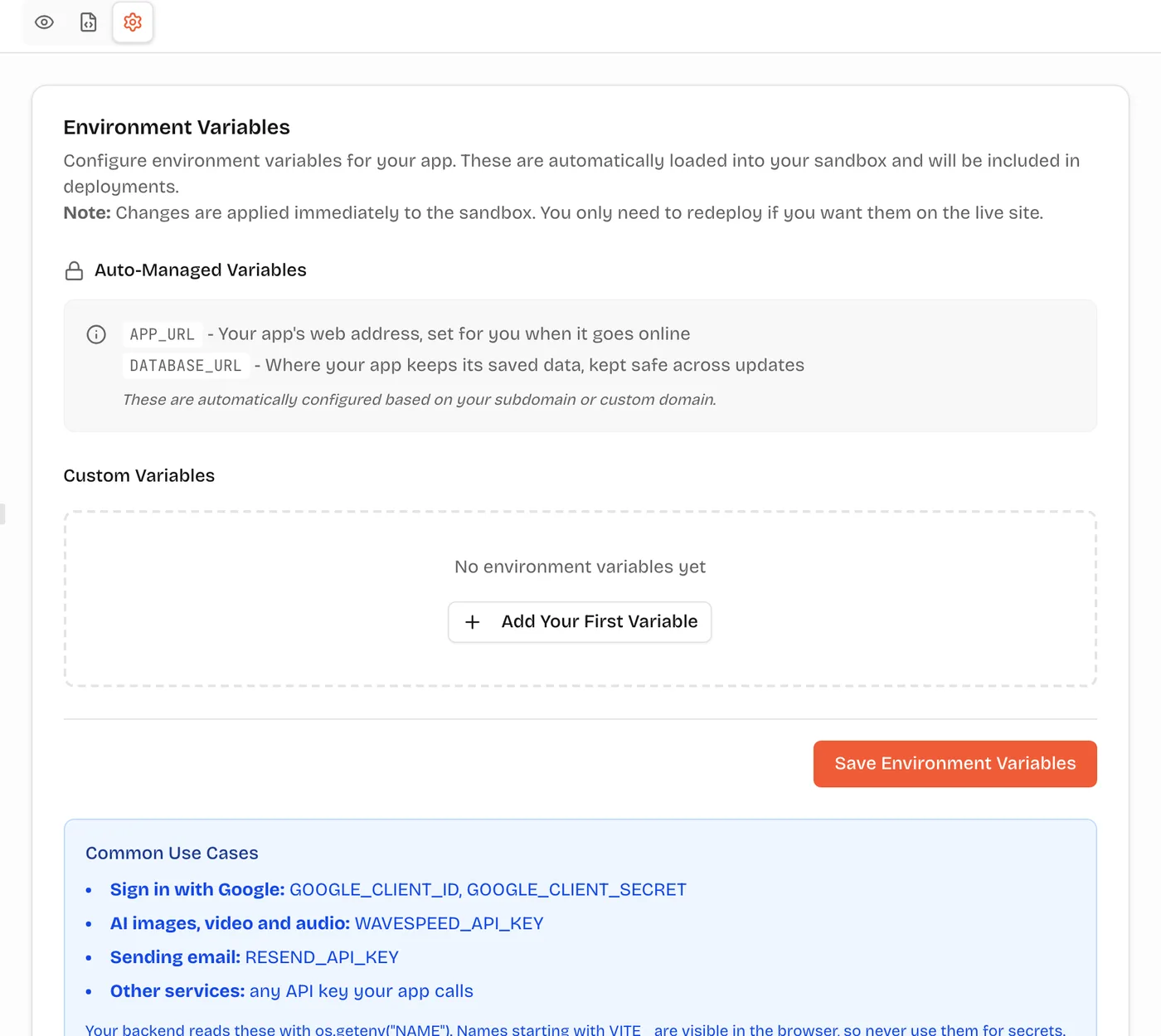
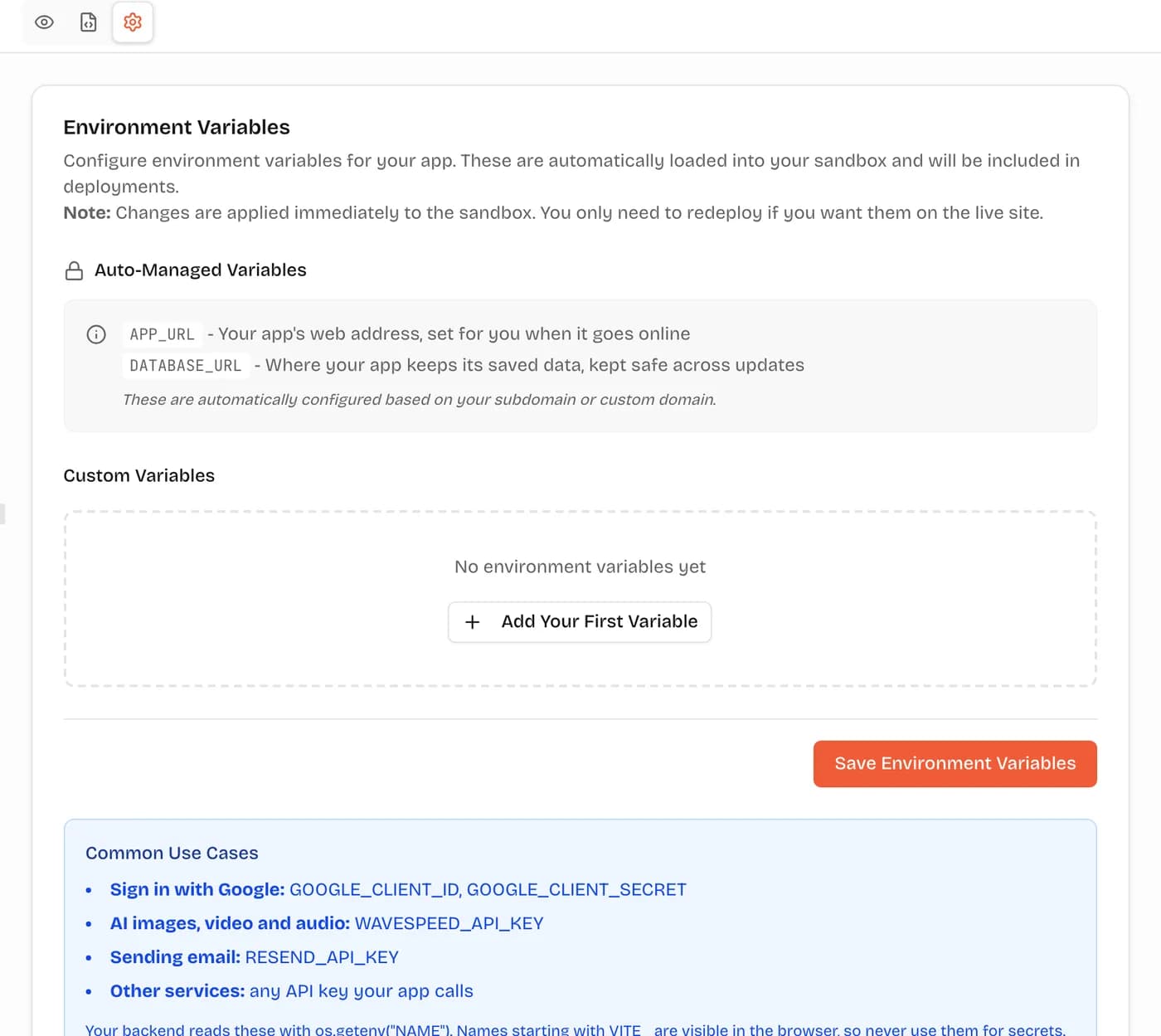
- On VibeDream, add keys in the project's Settings tab. The FastAPI backend reads them on the server. Names that start with VITE_ are built into the page, so never use that prefix for a secret.
- Never paste keys into the chat. Say "I added the key in Settings as MAIL_API_KEY" instead.
- If a key was ever exposed, rotate it at the provider. Deleting it from the code is not enough.
Databases without access rules
The CVE above is this risk. A database needs rules that say which rows each user may read and change. When the browser queries the database directly, those rules are the only lock on the door.
Ask the AI two questions about any table that holds personal data: "Who can read this table, and how is that enforced?" and "What happens if someone calls this endpoint without logging in?" If the answer is vague, ask it to add the check and then test it yourself.
Login and permissions
Logging in proves who someone is. Permissions decide what they may do. Vibe-coded apps often get the first right and the second wrong, for example by hiding an admin button in the interface while the admin endpoint still answers anyone who calls it.
- Every server endpoint that shows or changes private data should check the user itself. A check on the page alone is decoration.
- Test with two accounts. Log in as user A and try to open user B's records by changing an ID in the URL.
- Put admin pages behind a check on the server. Hiding the link stops nobody who can guess the address.
Dependencies and old packages
AI tools pull in open-source packages. Most are fine, but packages get vulnerabilities over time, and the AI sometimes suggests a package name that does not exist or is not the one it meant.
- Ask the AI to list every package it added and why.
- Remove anything you do not use.
- Every few months, ask it to update packages and run the app again.
Payments, uploads and personal data
Money and files raise the stakes. Card details should go to a payment provider's hosted checkout, never through your own forms. Uploaded files should not be readable by anyone who guesses a link.
On VibeDream, file storage is built in. Each project gets its own storage space, uploads use short-lived signed links, and the storage key stays on the server. One-tap payments are coming soon. Until then, real card payments mean connecting your own Stripe account, and you should test refunds and failed payments before launch.
How VibeDream isolates apps
Isolation does not make an app secure on its own, but it limits the blast radius. Here is what is in place today.
- Each app runs in its own private sandbox while you build, separate from other people's projects.
- Apps are React + FastAPI. The browser talks to your own backend, not straight to a shared database, so access checks live in server code you can read.
- An app keeps its data in its own database file rather than in one database shared by many customers.
- Secrets live in Settings and are read on the server.
- Published apps get HTTPS automatically, on a vibedreams.ai address or your own domain.
- You can read every file in the Code tab, download a ZIP or sync to GitHub, so a developer can review it.
None of this replaces testing your own access rules. The checklist below is still your job.
A 10-point checklist before launch
- 1. Search the frontend code for the words key, secret and token. Move anything you find to Settings.
- 2. Rotate any key that was ever pasted into chat or code.
- 3. Log out and try every private page and endpoint. Each should refuse you.
- 4. Log in as user A and try to view or edit user B's data by changing IDs.
- 5. Make sure admin actions are checked on the server.
- 6. Submit forms with empty, huge and odd input. Nothing should crash or save junk.
- 7. Check that uploads cannot be opened by someone without the link, and that links expire.
- 8. Ask the AI to list packages it added and remove the ones you do not use.
- 9. Collect only the personal data you need, and say so in a privacy policy.
- 10. Before you take money, test a successful payment, a failed one and a refund.