
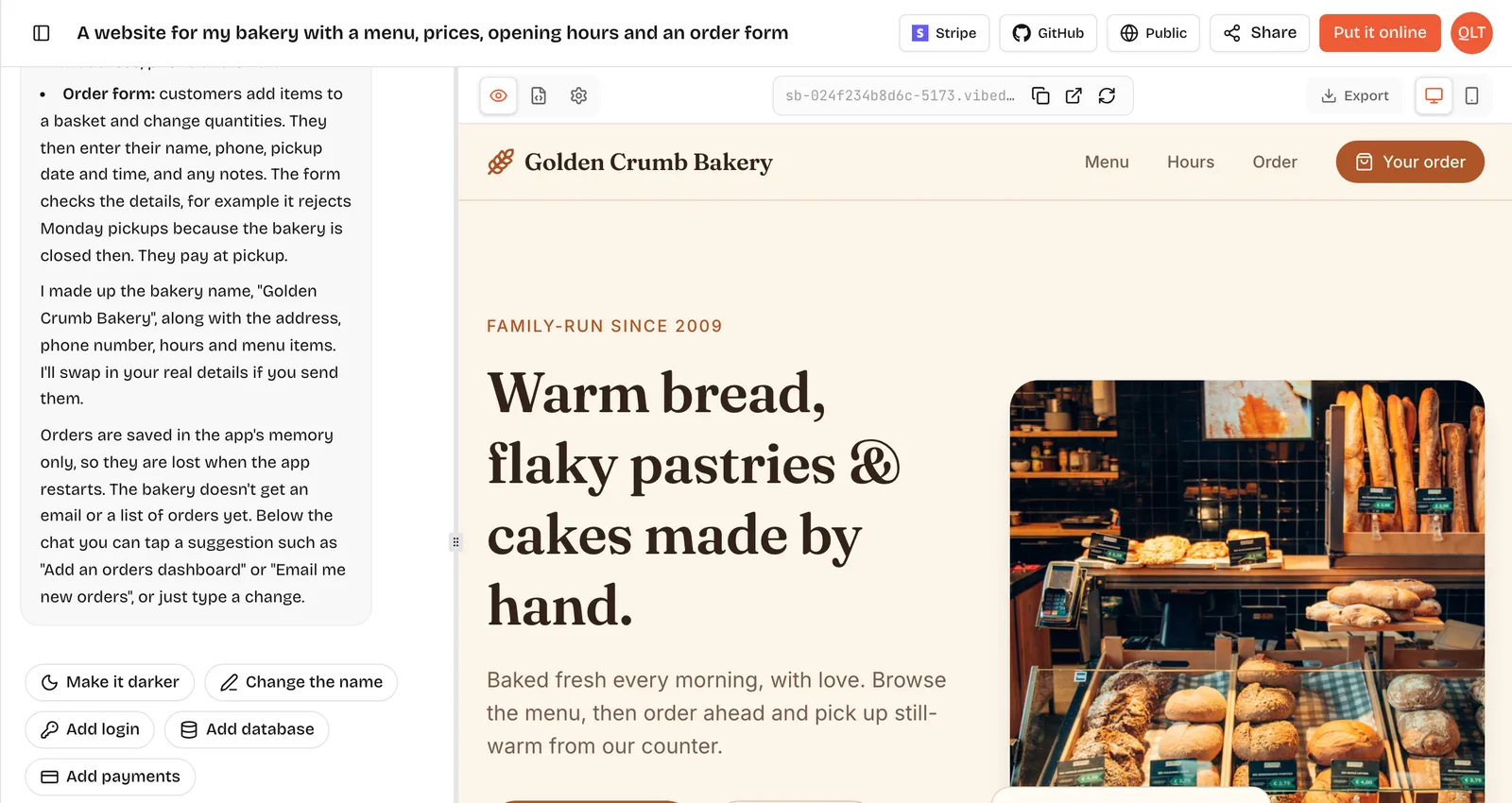
An AI app builder is a tool that turns a plain-language description of an app into working software. You type, or say, something like "a booking page for my salon with services, prices and a booking form", and the builder writes real code for the screens and the server, runs it in a live preview and lets you change it by chatting. Most also put the finished app online for you. Lovable, Bolt, Base44, Replit and VibeDream are examples. Building software this way is often called vibe coding.
What happens after you hit enter
The details vary by product, but most AI app builders follow the same loop. Here is how it works on VibeDream.
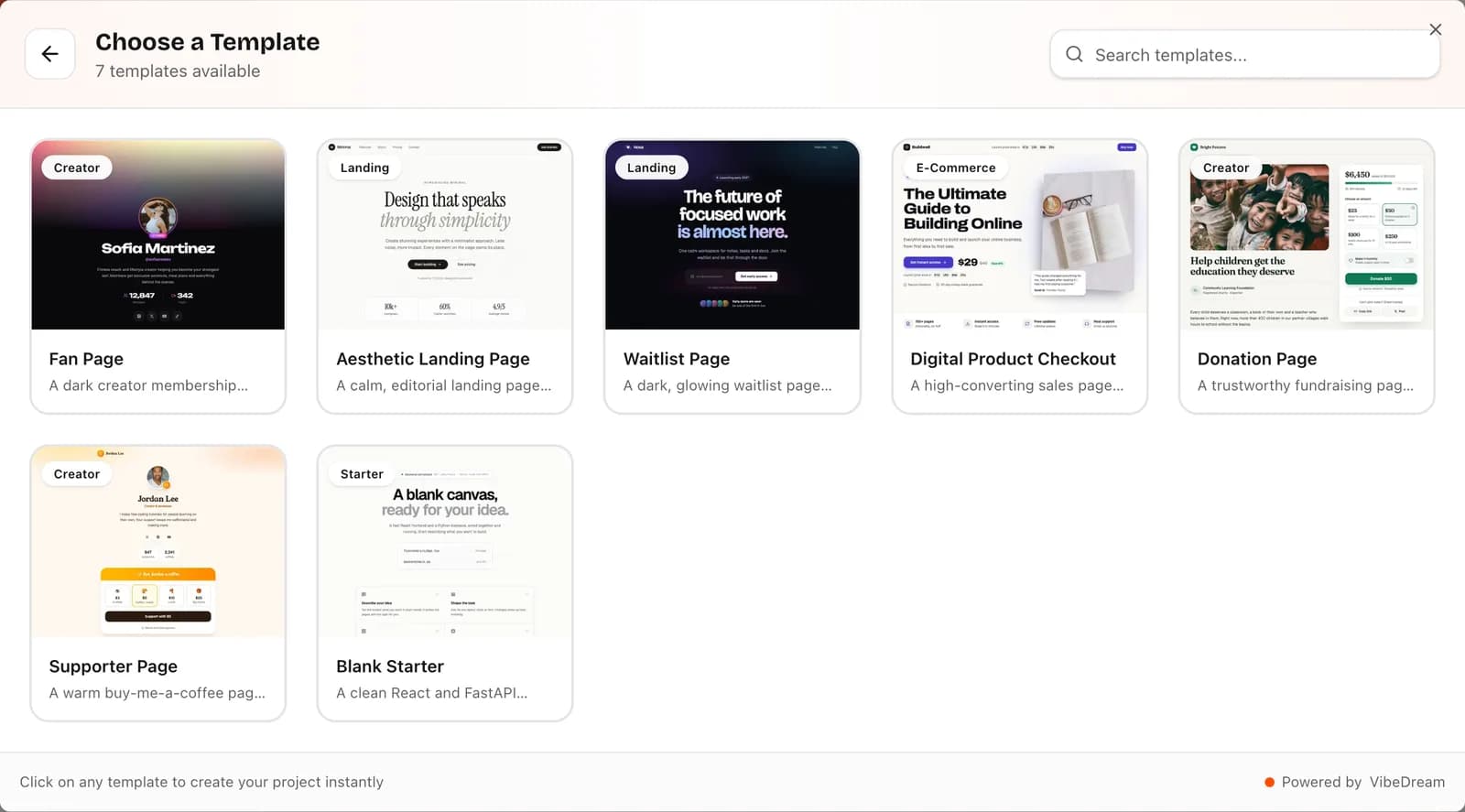
- You describe the app. You can type, record a voice note or attach a screenshot or sketch. You can also start from a template, such as the Aesthetic Waitlist, and describe changes.
- The AI plans and writes code. For apps, VibeDream uses React for the screens and FastAPI for the server; for games, it uses Phaser. It creates the files, the routes and the data storage the description needs.
- The app runs in its own private sandbox. While you build, your project runs in an isolated space, separate from other people's projects, so you can try it for real.
- The live preview fills in. Within seconds you see the app, and it updates as the AI works. You can switch between desktop and phone views or open it in a new tab.
- You steer with follow-up messages. "Make the button bigger", "only allow future dates", "add a contact page". If something breaks, you paste the error and the AI fixes it.
- You publish. Put it online builds the app and serves it at an address like yoursalon.vibedreams.ai with HTTPS, usually in 1 to 3 minutes, for 5 credits. You can connect your own domain later with a TXT and a CNAME record.
- You own the code. Read it in the Code tab, download a ZIP or sync it to GitHub.
In one line: your prompt goes to the AI, the AI writes code into your project, the project runs the preview you see, and publishing copies that version to hosting with its own address.
What they build well
AI app builders are strongest on common patterns that appear in thousands of apps.
- Landing pages, waitlists and portfolios.
- Booking pages, forms and simple directories.
- Personal trackers: habits, workouts, budgets.
- Internal dashboards with tables, filters and summary cards.
- Content sites, quizzes and calculators.
- Small browser games, with tools that support them; VibeDream builds them with Phaser.
- First versions of products, to test an idea before investing more.
For these, a first working version often takes minutes to an hour, and the rest is refinement.
What they struggle with
Knowing the limits before you pay saves money and a few frustrating evenings.
- Very large or vague requests. "Build me Uber" yields a shallow imitation of everything. One screen at a time works far better.
- Complex business rules: scheduling with many constraints, pricing logic, multi-step approvals. Possible, but needs careful prompting and testing.
- Security by default. AI tools do not always add access checks or keep keys on the server unless you ask. Public cases like CVE-2025-48757 show what goes wrong when database rules are missing.
- Pixel-perfect design. You steer by words, so exact spacing can take a few tries.
- Native mobile apps. Many AI builders make web apps. VibeDream builds web apps and browser games that work on phones, not native app store apps.
- Long-running maintenance on big codebases, where a developer's judgment still matters.
A short example session
To make this concrete, here is the shape of a first session for a small fitness studio's class booking page.
- First message: "A class booking page for my yoga studio. Show this week's classes with times, teacher and spaces left. People book with name and email. Calm, light design that works on phones."
- The preview appears with a weekly timetable and a booking form. You notice spaces left does not go down after a booking.
- Second message: "When someone books, reduce spaces left for that class and stop bookings when it reaches zero."
- Third message: "Add a page at /admin, protected by a password I set in Settings, listing bookings for each class."
- Fourth message: "On phones, show one day at a time with arrows to move between days."
- Then you test as a stranger, publish with Put it online and share the link with two regular students for feedback.
Four focused messages, each checked in the preview, usually get you further than one long description. That rhythm is the core skill of using any AI app builder.
How to judge one, a checklist
Before paying for a plan, check these.
- Stack: what does it build with, and is that a common stack a developer could pick up later?
- Preview: does the app actually run while you build, or is it a mock-up?
- Backend: can the app save data on a server, and where do the access rules live?
- Secrets: is there a settings area for API keys that keeps them off the browser?
- Hosting: can you publish from inside the tool, with HTTPS?
- Domains: can you connect your own, and what records does it need?
- Code ownership: can you export the code or sync it to GitHub at any time?
- Pricing model: credits, tokens or messages, and what happens when you run out?
- Free tier: is there one, and what are its limits? VibeDream has none; plans start at $49 a month for 60 credits.
- Support: is there a human to talk to if the app will not go online?
- Mobile: does it build web apps, native apps, or both? Make sure it matches what you need.
Try one small, real feature on each shortlisted tool, such as a signup form that saves emails, and compare the results.
AI app builder vs no-code vs hiring
- AI app builder: you describe it in words and get real code you can export. A first version takes minutes to hours. Cost is a monthly plan with credits or tokens. Best for testing ideas and custom web apps.
- No-code platform: you build it visually and it stays in the platform. A first version takes days to weeks. Cost is a monthly plan, often metered by usage. Best for visual builders and platform-specific features.
- Hiring a developer or agency: you write a brief and they build to it, over weeks to months, usually for a five-figure fee. Our guide to what an app costs has the sourced numbers. Best for native apps, complex rules and regulated data.
These are not exclusive. A common path is to build the first version with an AI app builder, then hire a developer to take the exported code further once people use it.
What is still changing
Builders keep adding services so that login, saved data and payments need less setup. On VibeDream, login and database take one tap today, and one-tap payments are coming soon. What does not change is the human part: deciding what to build, testing it and checking who can see which data.