
To build an app like Uber you need three products that work together: a rider app to request and track rides, a driver app to accept jobs and navigate, and an operations system that matches the two, prices trips, pays drivers and handles safety. The full version takes large teams years. The first version does not. A pre-booked service in one area, with a booking page, a dispatcher board and a driver page that opens addresses in the phone's maps app, tests whether people will book through you without any live tracking. You can build that with AI in an afternoon, and the prompt is below.
Core features of a ride-hailing app
- Rider: sign up, set pickup and drop-off, see a price estimate, request, see the driver approaching, pay, rate, get a receipt.
- Driver: sign up with document checks, go online and offline, receive requests, accept or decline, navigate, mark pickup and drop-off, see earnings.
- Matching and dispatch: find nearby available drivers, offer the job, handle no answer, reassign.
- Pricing: base fare, distance and time, minimums, surge, promotions, cancellation fees.
- Payments: card on file, charge at the end, driver payouts, refunds, tax.
- Safety and support: identity checks, ride sharing with contacts, incident reporting, a support team and tools.
- Admin: live map of drivers and trips, user management, disputes, reports.
The hard parts
Building screens is the easy part. Any realistic estimate has to include these.
- Real-time location. Drivers' phones must report position every few seconds, including when the app is in the background. That usually means native apps, battery tuning and a backend built for constant updates.
- Maps and routing. Distance, time and route estimates come from mapping services that charge per request at scale.
- Dispatch logic. Choosing the right driver fairly and quickly, and recovering when they do not respond, is a real algorithm problem.
- Payments and payouts. Charging riders, paying drivers, handling fees, refunds and tax across regions.
- Licensing and insurance. Ride-hailing is regulated in most cities. Driver vetting and insurance are legal requirements, not features.
- The two-sided start. Riders will not come without drivers and drivers will not wait without riders. Code does not solve that. Recruiting does.
Costs by route
- Agency or in-house team building native rider and driver apps plus a backend: the most expensive route by far, with a long timeline and ongoing costs for maps, servers and maintenance.
- White-label ride-hailing software: you license a ready product and brand it. Faster, but you work within its rules and pay ongoing fees.
- No-code tools: workable for request forms and admin boards, weak at real-time tracking and dispatch.
- AI-built web MVP: the cheapest way to test demand with a booking and dispatch flow, as long as you accept it is not a production ride-hailing platform.
We are not giving dollar figures for the agency and white-label routes because quotes vary enormously with scope and region. Get two or three quotes against a written feature list, and ask each one to separate build cost from monthly running cost.
An MVP you can build with AI
Many marketplaces started with something much simpler than the final product, often with people doing manually what software would later automate. A good first version for a ride or delivery idea is a pre-booked service, not on-demand. Riders book a time; an operator assigns a driver from a dispatch board; drivers see their jobs on a phone-friendly page. That tests whether people want the service and what they will pay, with no real-time tracking needed.
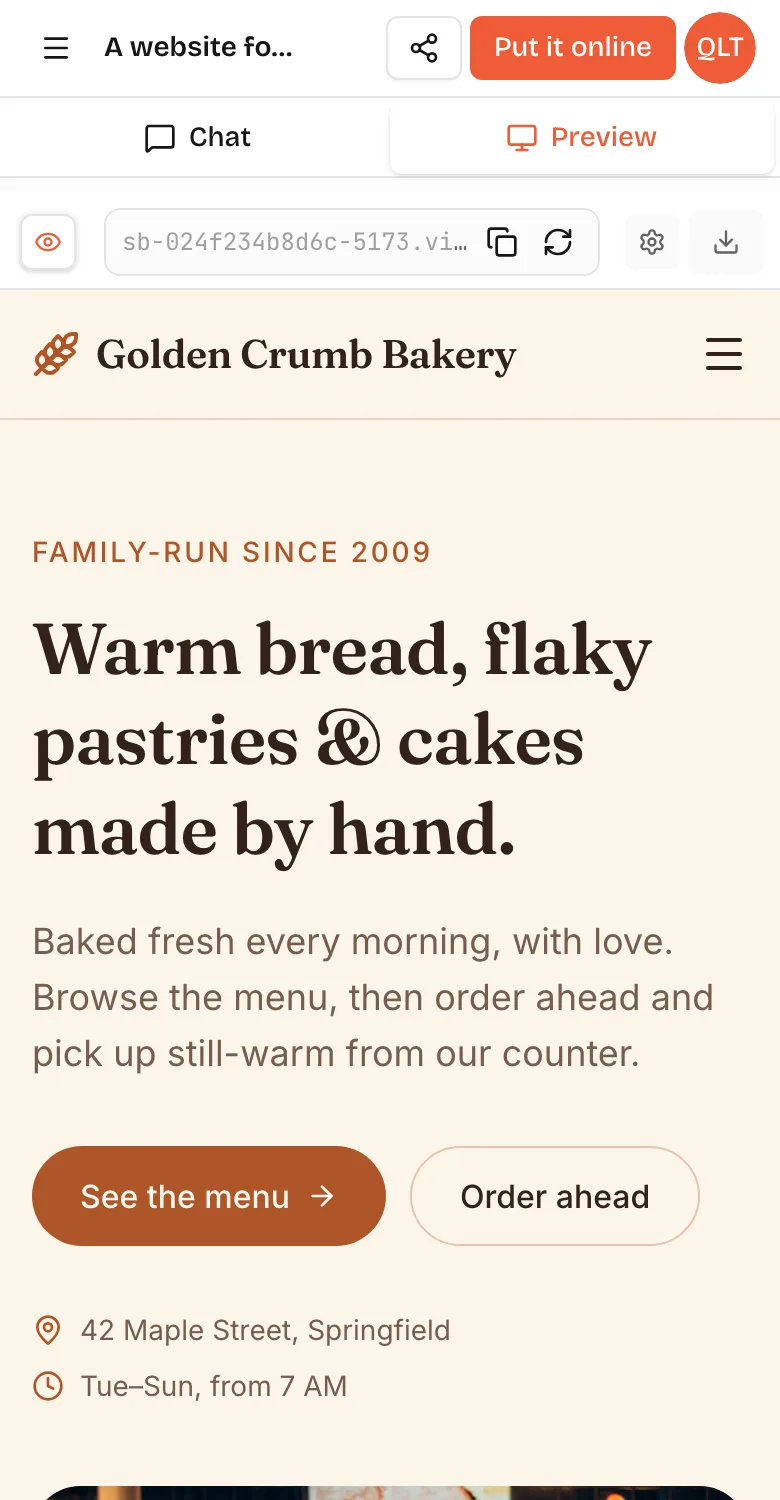
A web app for a pre-booked airport transfer service in Lisbon. Rider page: pickup address, airport terminal, date and time, passengers, luggage, name, phone; shows a fixed price from a zone table and saves the booking as Requested. Dispatcher page behind a passcode: bookings by day in a board with columns Requested, Assigned, Done; assign a driver from a list; edit price. Driver page with a personal passcode: today's assigned jobs in time order with addresses that open in the phone's maps app, and buttons Picked up and Dropped off. Simple, clear, large buttons. Phone first.In VibeDream, tap New Project, choose Direct Prompt and paste it, or start from the Blank Starter template. The live preview builds in seconds; on a phone you can switch between Chat and Preview as in the screenshot above. Test the full loop: book as a rider, assign as a dispatcher, then complete the job as the driver. Opening addresses in the phone's own maps app avoids building navigation at all.
Test demand before you build anything
Before you build even the MVP, it is worth checking that people want the service at the price you have in mind. A landing page and a phone number can tell you a lot within a couple of weeks.
- Pick one narrow route or use case, such as airport runs from one district, or school runs for one school.
- Put up a one-page site that explains the service, shows a fixed price and has a request form. The landing page guide covers what to put on it.
- Find two or three drivers willing to do a trial week, and handle dispatch by phone yourself.
- Count requests, completed trips and repeat customers. Ask every rider why they chose you.
- Only then build the booking, dispatch and driver pages from the prompt above, using what you learned.
Doing it by hand first sounds slow, but it shows you the real rules, such as how much notice drivers need and how often riders change pickup times. Those rules make your prompt far more precise, and the app you build will match how the service actually runs. For internal operations tools beyond dispatch, see build internal tools with AI.
Pricing rules to put in the prompt
Fixed zone prices are much easier to run in a pilot than live metered fares, and riders like knowing the price up front. Write the table out: city centre to airport 35, north district to airport 40, extra stop 5, more than three bags 5, night surcharge 10 between midnight and 5am. Ask for the price to be shown before the rider confirms, and for the dispatcher to be able to override it with a note. When you change prices, change the table, not individual bookings.
What you would still need
- Payments. One-tap payments are coming soon. You can connect your own Stripe account for real payments now. Many pilots take payment in person or by a payment link from a service they already use.
- Real-time tracking and native driver apps, if you move to on-demand rides. VibeDream builds web apps, not native iOS or Android apps.
- Notifications by text or email, via a sending service whose key you add in project settings. See the API keys guide.
- Legal: licences, insurance and driver vetting for your city. Speak to a local adviser before taking real passengers.
- Logins for riders and drivers rather than shared passcodes. Ask for them and the AI adds them to your app's code; you can also tap Add login under the chat.
Once the pilot shows demand, the code is yours: download it or sync it to GitHub so a developer can extend it or use it as a reference while building the production apps. VibeDream plans start at $49 a month. For scoping a first version in general, see how to build an app, and for another two-sided idea, how to make an app like Tinder.