
A hotel website builder for a small property should give you a page per room type with real photos and a from price, a location page, clear policies and a request form where guests pick a room and dates. VibeDream builds that from a description of your hotel or B&B and puts it on your own domain. It does not connect to a property management system (PMS), a channel manager or the online travel agencies, so you confirm each direct request yourself. If you need live rates synced across channels, keep your PMS booking engine and link to it from the site. The worked example is an 8-room B&B in Bath.
What guests look for
- The room itself. Bed size, view, bathroom, square metres if you know them, and photos of that exact room type.
- The real price or a from price, and what it includes, such as breakfast, parking or city tax.
- Location in practical terms: minutes on foot to the station, the old town, the beach.
- Policies before they commit: check-in times, cancellation, children, pets, accessibility, late arrival.
- Something that feels personal. Small hotels win on character, so show the people and the breakfast, not only the rooms.
- A quick way to ask a question, because many guests of small hotels want to check one detail first.
Example hotel site
- Home: one strong photo, the name, one line on the place, and Check availability. Below it, the room types and three reasons to stay.
- Rooms: a card per room type, each opening its own page with a gallery, facts, from price and a Request this room button.
- Breakfast and dining, if you serve food: what is included and the hours.
- Location: a map, directions from the airport and station, and your local favourites.
- Policies and FAQ.
- Contact and requests: the request form, phone, email and address.
Room pages
Room pages do the most selling. Give each room type its own page with six to ten photos, a short description that names what is special about it, and a facts box. Be exact about beds: a double, a king and two singles are different rooms to a guest. If prices change by season, show a from price and a short note, rather than a full rate table you will forget to update.
A website for The Linden, a family-run 8-room B&B in Bath. Pages: Home, Rooms, Breakfast, Location, Policies, Contact. Three room types: Garden Double (king bed, garden view, shower), Classic Twin (two singles, courtyard), Linden Suite (king bed, sofa bed, bath, sitting room). Each room type has its own page: gallery, facts box (guests, beds, size, bathroom, view), from price per night including breakfast, Request this room button. Request form: room type, arrival, departure, adults, children, name, email, phone, message. Save each request and list them on a private page behind a passcode with Accept and Decline. Classic and calm: cream, sage green, serif headings. Phone first.Paste that into VibeDream after tapping New Project and Direct Prompt, then edit the details. The Aesthetic Landing Page template is a good starting design if you want a quieter, editorial look. The live preview appears within seconds. Click every room card, send a test request, then open the private page and accept it to check the flow end to end.
Booking requests, not a booking engine
A booking engine connects to your PMS and shows live rates and rooms left. VibeDream does not do that. What it can build is a request flow that suits many small properties: the guest picks a room type and dates, the request is saved, and you reply to confirm with a price. For a B&B that already takes many bookings by email and phone, this turns scattered emails into one tidy list.
- Say so on the form: Send a request and we will reply within a few hours to confirm.
- Ask for a private page where you can mark dates as full for each room type, so obviously full dates are not requested.
- If you have a booking engine through your PMS, link the main Book button to it and keep the request form for questions and groups.
- One-tap payments are coming soon. You can take real card payments now by connecting your own Stripe account. Many small hotels confirm the request and send a deposit link from the payment service they already use.
For the rules that stop clashes when you do want date-by-date bookings, see how to make a booking website. Holiday lets with a single unit are covered in the short-term rental website builder guide.
Photos
- Shoot each room type from the doorway and from the window, plus the bathroom and one detail.
- Shoot in daylight with lights on, beds made tight and personal items gone.
- Include breakfast, the lounge, the garden and the street outside. Guests are booking the whole stay.
- Keep photos current. A refurbished room shown with old photos causes complaints.
- Ask for a private upload page so you can swap photos each season. Uploads use the storage in your plan; see the file uploads guide.
Writing that sounds like your place
Small hotels lose their character online when every room is luxurious and every view is breathtaking. Guests can tell. Write the way you would describe the room to a friend on the phone: the morning light in the Garden Double, the creaky but charming stairs, the bakery two doors down where you buy the croissants. Specific, small details are more persuasive than adjectives, and they are what guests remember in reviews.
- Write a two-line description per room that names one thing only that room has.
- Describe breakfast concretely: what is homemade, what is local, what time it is served.
- Be honest about limits: no lift, small bathrooms, street noise on Friday nights. It prevents bad reviews.
- Paste your own text into the chat and ask the AI to fit it into the pages, rather than asking it to invent descriptions.
Policies guests read before requesting
- Check-in and check-out times, and how late arrivals work.
- Cancellation terms for direct requests, in one or two sentences.
- What is included in the price, such as breakfast and parking, and any city or tourist tax.
- Children, extra beds, pets and accessibility, including whether there is a lift.
Domain, Google and getting found
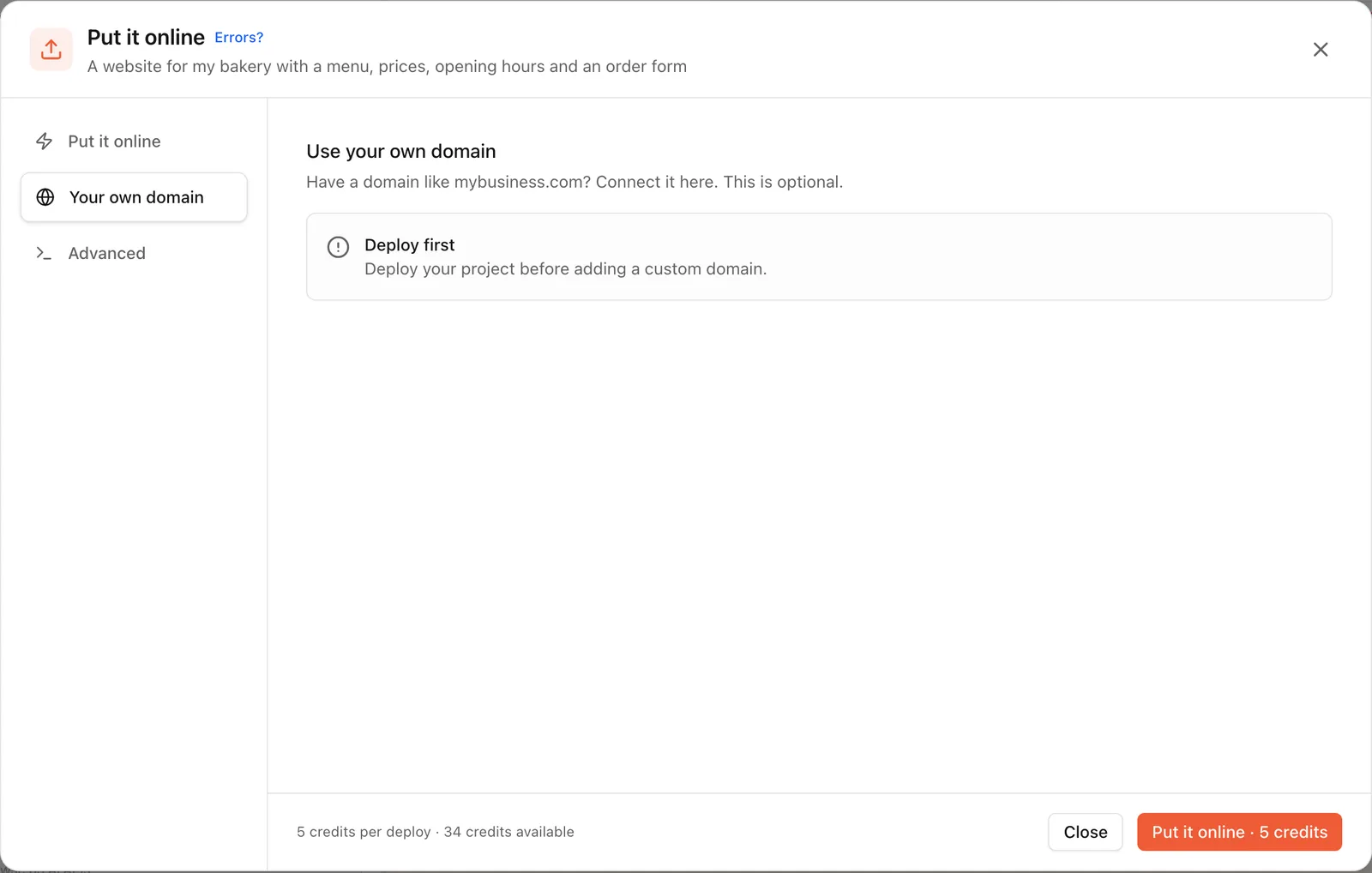
Press Put it online for an address like the-linden.vibedreams.ai. To use www.thelindenbath.co.uk, open the Your own domain tab shown in the screenshot above and add the two records it lists at your registrar. A .co.uk works the same way as a .com; use the www version and forward the bare domain to it. Steps are in the deployment guide.
- Add the site to your Google Business Profile and keep name, address and phone identical everywhere.
- Name pages the way guests search: B&B in Bath with parking, family room in Bath.
- Write a genuinely useful local guide page. It is the page other sites are most likely to link to.
- Link to your reviews on the platforms where they live rather than pasting them in.
Plans start at $49 a month with hosting included. If you also run a restaurant open to non-residents, the restaurant website builder guide covers menus and table requests.