
A short term rental website builder should give you a site that sells the stay and takes requests directly: big photos, what is included, house rules, the area and a calendar with a request form. VibeDream builds that from a description of your property and puts it on your own domain. Know this up front: it does not sync with Airbnb, Vrbo or a channel manager, so you block dates yourself on a private page and treat every direct booking as a request you accept. The prompt for a two-bedroom harbour flat is below, along with a private guest guide page that can replace most of your check-in messages.
Why hosts want direct bookings
Listing platforms bring most first-time guests, and for many hosts they always will. A direct site earns its place in a few specific situations. Check which apply to you.
- Returning guests. People who loved the stay often want to book again without the platform. A site gives them somewhere to go.
- Guests who find you elsewhere. Word of mouth, a local wedding venue, a sign at the gate, social posts. A site gives them a page to land on.
- Your own policies. You set the minimum stay, cleaning approach, pet rules and cancellation terms you prefer for direct guests.
- Platform fees. Platforms charge service fees to hosts, guests or both, and the amounts vary by platform and setup. Check your own platform's fee page for your listing.
- Less risk. If a listing is paused or a platform changes its rules, you still have a way for guests to reach you.
What a direct site does not do on its own is bring traffic. Plan to send people to it: a card in the welcome book, a line in your post-stay message where the platform allows it, your social profiles and local partners.
What a rental site needs
- A gallery of every room, the outside and the view, shot in daylight and held horizontally.
- The basics in one glance: guests, bedrooms, beds, bathrooms, parking, wifi, pets.
- What is included and what is not: linen, towels, cleaning, firewood, a cot.
- House rules in plain words: check-in and check-out times, quiet hours, smoking, parties, pets.
- Location: a map of the area rather than the exact pin, nearby beaches, shops, restaurants, and how to get there without a car.
- Reviews: link to your listing's reviews instead of copying them, which keeps them verifiable.
- Availability and a request form: dates, number of guests, a message.
- Your local registration or licence number if your area requires it on listings.
Example site structure
- Home: a full-width photo, the property name, one line on what makes it special, key facts, and Check availability.
- The house: room-by-room photos with a sentence each.
- The area: a short local guide with your favourite places.
- Stay info: what is included, house rules, check-in, FAQ.
- Book: an availability calendar and the request form.
- Guest guide: a private page with the door code process, wifi, appliance notes and checkout steps, shared only with confirmed guests.
The prompt to build it
In VibeDream, tap New Project, choose Direct Prompt and paste a description like this, edited for your property.
A direct booking website for Harbour Loft, a two-bedroom apartment for up to 4 guests in Whitby. Pages: Home, The Loft, The Area, Stay Info, Book. Home: full-width harbour photo, key facts (4 guests, 2 bedrooms, 1 bathroom, street parking, dogs welcome), Check availability button. Book page: a calendar showing blocked dates that I set on a private admin page behind a passcode, plus a request form with arrival, departure, guests, dogs yes or no, name, email, phone, message. Block requests that overlap blocked dates, minimum stay 3 nights. Save each request and list them on the admin page with Accept and Decline buttons. Coastal look, white and navy, lots of photos. Phone first.The live preview appears beside the chat within seconds. Test the booking rules: try a two-night stay, try dates that overlap a blocked week, then block some dates on the admin page and check the calendar updates. Fix anything that fails with one short message, such as: two-night requests are still accepted, enforce a three-night minimum.
Availability requests without double bookings
Because VibeDream does not connect to Airbnb, Vrbo or a channel manager, the safest setup is requests rather than instant bookings. The guest asks for dates, you check your platform calendars, and you accept or decline. When you take a booking anywhere, block those dates on your site's admin page so the calendar stays honest.
- Block dates on your site as soon as a platform booking comes in.
- Block dates on your platforms as soon as you accept a direct request.
- Reply to direct requests quickly. A guest who emailed you directly expects a personal answer.
- Write your direct booking terms on the Stay Info page: deposit, balance due date, cancellation and damage policy.
Some hosts sync calendars between platforms with calendar feed links. Asking the AI to read a platform's calendar feed is possible in principle, but it is extra setup you would need to test carefully, and feeds can lag. Do not rely on it until you have watched it work for a while. One-tap payments are coming soon. For real deposits today, connect your own Stripe account, or collect by bank transfer or a payment link after you accept.
Photos that do the selling
- Shoot on a bright day with every light on and every surface clear.
- Lead with the best feature, whether that is the view, the kitchen or the hot tub.
- Show every bed and bathroom. Guests want to know what they are getting.
- Add a photo of the entrance and parking so arrival is not a surprise.
- Ask for a private upload page so you can refresh photos each season. Uploads use the storage in your plan; see the file uploads guide.
A guest guide page
Many hosts send the same check-in messages for every stay. A private guest guide page can replace most of them and look better than a shared document. Ask for a page behind a passcode that you share with confirmed guests.
- Arrival: directions, parking, how check-in works. Share door codes only through a channel you control, never on the public site.
- Wifi name and password, heating, hot water and appliance notes with photos.
- House rules again, short.
- Local tips: your favourite restaurants, the best walk and the nearest pharmacy.
- Checkout steps: what to do with towels, bins and keys.
- Emergency contacts and your phone number.
Change the passcode regularly, and update the page whenever something in the property changes. If you also run several rooms in one building, the small business website builder guide and the booking website guide are useful next reads.
Domain and launch
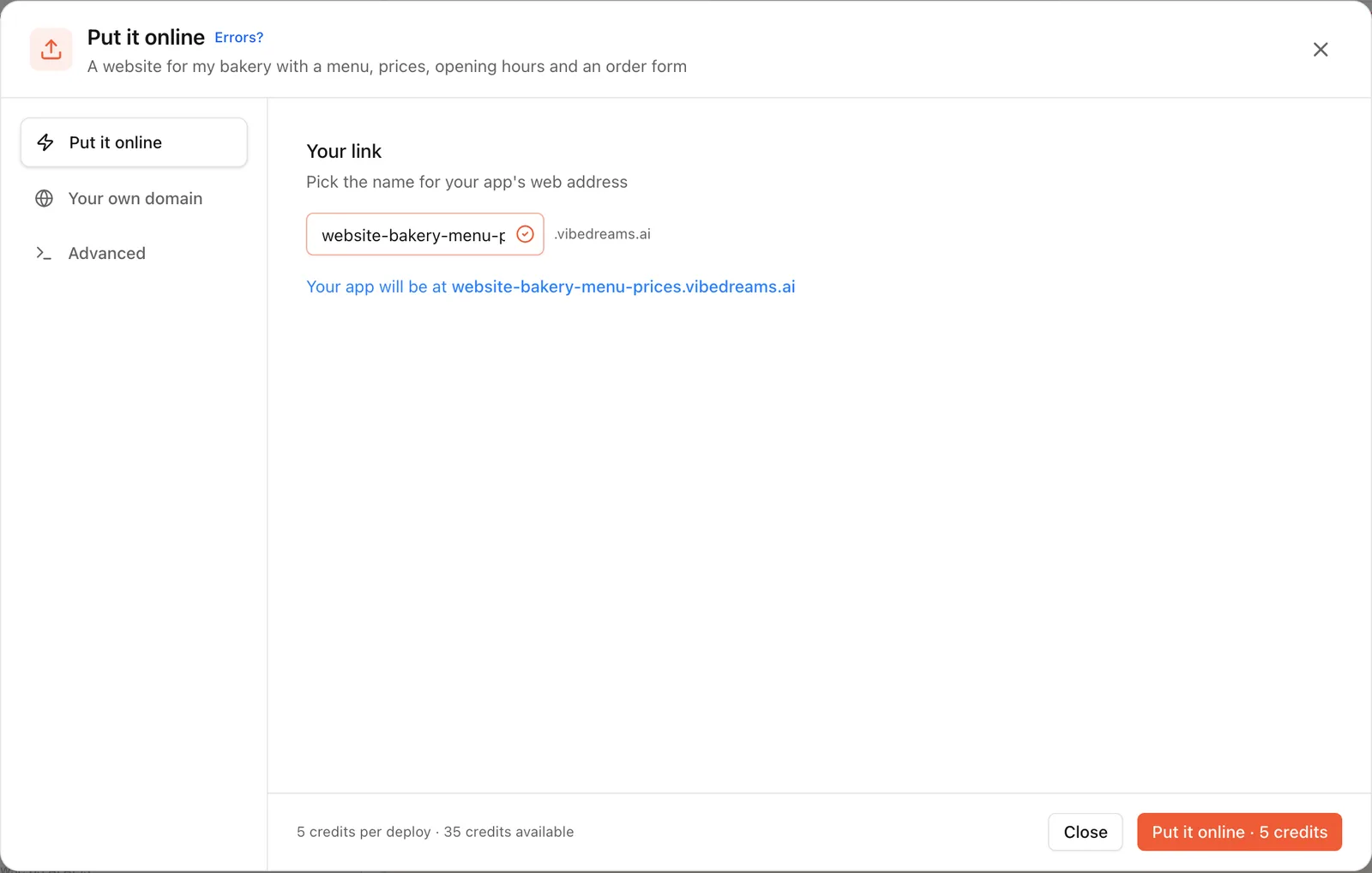
Press Put it online and pick a name, in the window shown in the screenshot above, and the site goes live at an address like harbour-loft.vibedreams.ai. Print that address, or your own www.harbourloftwhitby.com once connected through the deployment guide, on the welcome book card so returning guests can find you.
VibeDream plans are All Access Mini at $49 a month with 60 credits and up to 3 active projects, or All Access at $97 a month with 150 credits and up to 5, which suits hosts with several properties. For a small hotel or B&B with several rooms, the hotel website builder guide covers room pages and room-by-room requests.