
A restaurant website builder has to get the basics right before anything else: a text menu that reads well on a phone, opening hours that are always correct, a tap-to-call number, a map and a way to book. VibeDream builds that from one description you paste in, and later changes are a sentence, such as add the autumn soup at 7.50 and take the risotto off. Below is what diners look for, a sample structure for a family Italian place, the exact prompt and the Google profile details that matter as much as the site.
What diners look for
Most visits to a restaurant site happen on a phone, often while someone is deciding where to eat in the next hour. They want quick answers. In rough order:
- Are you open now, and until when?
- What is on the menu and what does it cost?
- Where exactly are you, and is there parking or a nearby station?
- Can I book a table, or do I just walk in?
- Do you cater for my diet: vegetarian, vegan, gluten free, allergies?
- What does it look like inside? Two or three real photos of the room help.
A PDF menu fails the second question on most phones, because it opens in a viewer, needs zooming and is often out of date. A real web page menu is faster, readable and something search engines can read too.
Example restaurant site structure
- Home: name, one line on your food, an Open today until 10pm line, Book a table and Call buttons, one strong photo.
- Menu: sections (starters, mains, desserts, drinks), each dish with a short description, price and diet tags.
- Book: a booking request form, or a link to the reservation system you already use.
- Visit: address, map, opening hours by day, parking and accessibility notes.
- About: the story in a paragraph, the chef or owners, and a few photos.
- Private events or catering, if you offer them, with an inquiry form.
The prompt to build it
In VibeDream, tap New Project, choose Direct Prompt and paste something like this, with your details. If you prefer to start from a design, the Aesthetic Landing Page template has a calm editorial look you can ask the AI to turn into a menu site.
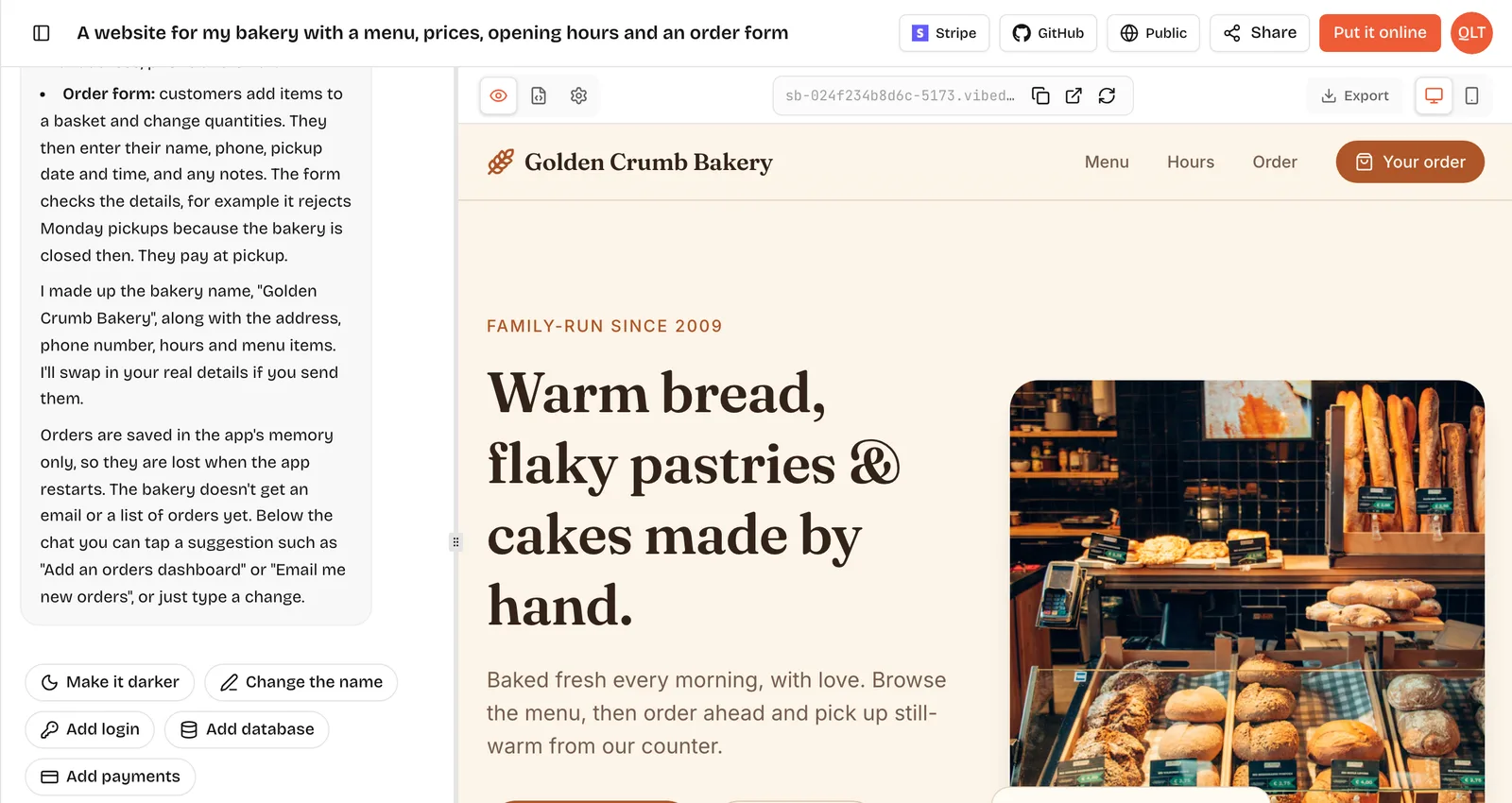
A website for Casa Verde, a family Italian restaurant in Austin. Pages: Home, Menu, Book, Visit, About. Home shows today's opening hours automatically, with Book a table and Call buttons. Menu with sections starters, pasta, mains, desserts, drinks; each dish has name, short description, price and tags V, VG, GF. Book page with a request form: name, phone, date, time, party size, notes; save each request and list them on a private page behind a passcode. Visit page with address, Google map embed and hours: Tue to Sun 5pm to 10pm, closed Mon. Warm look: cream background, deep green, terracotta buttons. Phone first.The live preview appears in seconds and fills in as the site is built. The screenshot at the top of this page shows the workspace with a bakery site in the preview. Check yours in phone view, then compare every price and every opening time with your real ones. AI fills gaps with plausible guesses, so read it all once.
A menu you update by prompt
Menus change all the time, and the usual reason restaurant sites go stale is that editing them is a chore. In VibeDream, an update is a sentence.
- Add a new main, Wild mushroom tagliatelle, 18, tags V, under pasta.
- Change the tiramisu price to 9.
- Hide the lunch section until further notice.
- Add a banner on the home page: Closed 24 to 26 December, back on the 27th.
- Add allergen notes to every dish that contains nuts.
If you change the menu often, ask for a private editing page instead, where you or a manager can add, remove and reprice dishes without a prompt. After any change in the preview, open Put it online and press Update it. Each update costs 5 credits.
Booking requests
There are two sensible setups. If you already use a reservation platform such as OpenTable or Resy, keep it and point the Book button at your page there; it handles table management, reminders and no-show rules. If you take bookings by phone today and want something simple, a booking request form is enough: the guest picks a date, time and party size, the request is saved, and you confirm by phone or text. Make the confirmation screen say what really happens next: Thanks, we will text you to confirm.
VibeDream does not connect to reservation platforms or point-of-sale systems for you, and it does not include table-plan management. For more on building your own booking flow, including how to stop double bookings, see how to make a booking website.
Allergens, diets and accessibility
Diet tags and allergen information save your staff time on the phone and help guests choose you with confidence. Use simple, consistent tags on every dish, such as V for vegetarian, VG for vegan and GF for gluten free, and explain them once at the top of the menu. For allergens, follow the rules where you trade. Some places require specific allergen information to be available, so check your local food authority guidance.
- Add a line at the top of the menu: please tell us about allergies when you book or order.
- Ask for a filter that shows only vegan or only gluten-free dishes on the menu page.
- State accessibility plainly on the Visit page: step-free entrance, accessible toilet, high chairs, dogs welcome or not.
- Keep tags in sync with the kitchen. A wrong tag is worse than no tag.
Phone first layout
- Put Call and Directions buttons in reach of a thumb on every page.
- Keep the menu as text, with sections that collapse, not images of a printed menu.
- Compress photos. A slow first page on mobile data loses hungry people.
- Make the opening hours readable without tapping anything.
Private events and catering
If you host private dining or cater off site, give it its own page with capacity, sample menus, a minimum spend if you have one and an inquiry form that asks for date, guest count and budget. Ask for those inquiries to be saved and listed separately from table requests, so the big bookings never get lost among everyday ones.
Domain and Google profile tips
Put the site online at an address like casa-verde.vibedreams.ai, then connect www.casaverdeaustin.com with the two DNS records VibeDream shows you; the deployment guide has the steps.
- For many diners, your Google Business Profile is the first thing they see, before your site. Add the site link to it.
- Keep your name, address and phone exactly the same on the site, the profile and any delivery apps.
- Update holiday hours on both the site and the profile at the same time.
- Use real photos on both. Diners notice when the food looks different in person.
VibeDream plans start at $49 a month with hosting included, and each menu update you put live costs 5 credits. If you run other venues too, the hotel website builder guide and the small business website builder guide cover their extra pages.