
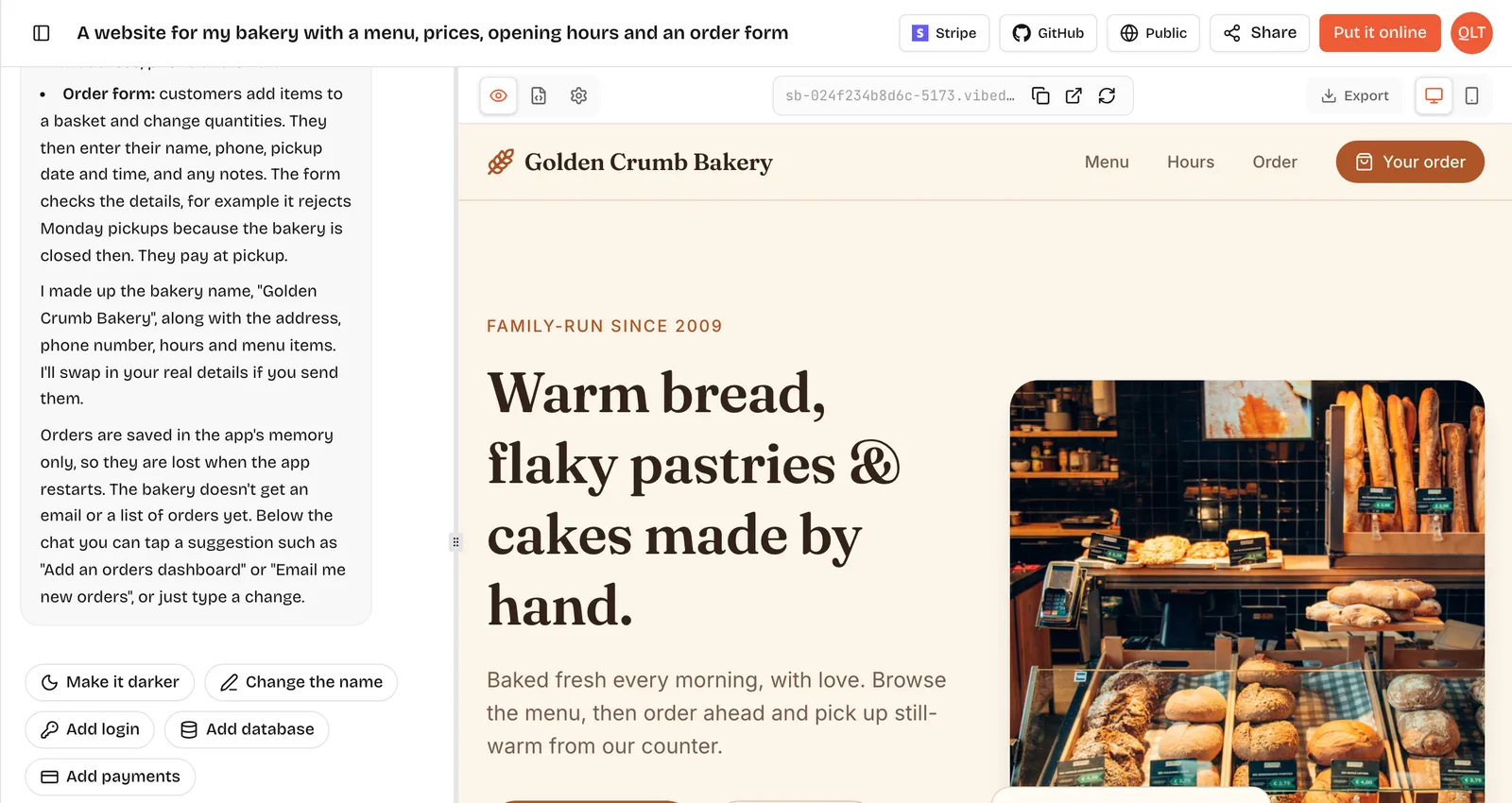
Building a website takes from about an hour to several months. A one-page site from a template or an AI builder can be live the same day. A small business site with five to ten pages usually takes a few days to a few weeks, mostly waiting on content and decisions. A custom design built by an agency takes longer: Clutch reports that most web design projects reviewed on its platform last about 7 months. Sites that are really web apps, with logins, bookings or payments, take the longest.
Build times by type of site
- One-page site, such as a landing page, portfolio or event page: an hour to a day with a builder or template; days with a freelancer.
- Small business site of 5 to 10 pages: a few days to a few weeks with a builder; weeks with a freelancer or agency.
- Blog or content site: a day to set up, then ongoing writing.
- Online store: days to weeks to set up, plus product photos and descriptions.
- Custom-designed marketing site by an agency: months; Clutch reports about 7 months for most reviewed web design projects.
- Web app with accounts, bookings or payments: days with an AI builder for a simple version; months for a custom build.
One-page site
This is the fastest kind of site, and the one most people should start with.
With a website builder or an AI builder, the work is mostly writing: one headline, a few benefits, a call to action and contact details. On VibeDream you can start from the Aesthetic Landing Page template and change the copy by chatting, or describe the page from scratch. The preview appears in seconds, and Put it online publishes it to a vibedreams.ai address with HTTPS, usually in 1 to 3 minutes.
What takes longer than expected: writing the headline. Give yourself time to try a few. A good test is to read it aloud to someone who does not know your business and ask them what you sell. If they cannot say, rewrite it. The rest of a one-page site, such as the benefits, a short about section and a contact form, tends to fall into place once the headline is clear, and you can always add a second page after launch when visitors start asking for something specific.
Small business site
A typical small business site has a home page, services, about, contact and perhaps pricing, a gallery and a few legal pages.
- Content gathering: a few days, often the longest step. Photos, service descriptions, prices, opening hours and testimonials.
- Building: a day or two with a builder, faster with an AI builder once content is ready.
- Review: you and anyone else who must approve it.
- Domain and launch: connecting your domain takes minutes of work plus DNS time, usually under an hour.
Agencies and freelancers add discovery, design rounds and revisions. Clutch's web design pricing guide, updated 21 September 2026, reports an average project cost of about $38,105, while most reviewed projects cost less than $10,000.
Custom web app
If your "website" needs logins, saved data, bookings, dashboards or payments, it is a web app, and the timeline depends on its rules more than its pages.
- A simple booking page with an admin list: an afternoon to a day with an AI builder that includes a backend. On VibeDream, apps are React + FastAPI, so the backend that saves bookings comes with the project.
- A membership site with several user types: days to weeks on a builder, longer custom.
- A marketplace or SaaS product: weeks at least on any route, months for a custom build.
Payments add time on every route. On VibeDream, one-tap payments are coming soon. Today, real card payments mean connecting your own Stripe account, which you should test carefully before launch.
Redesigning an existing site
A redesign often takes longer than a new site, because you have something to protect.
- Inventory: list every page that gets visits or ranks in search. Keep their addresses if you can.
- Redirects: when an address must change, plan a redirect from the old one so links and rankings carry over.
- Content review: old pages are often out of date. Updating copy is usually the biggest job.
- Launch window: switch the domain at a quiet time, and check the main pages and forms right after.
- Watch for a few weeks: look for broken links and pages that lost search traffic.
For a small site, plan days to a couple of weeks on top of the build. For a large site with many ranking pages, plan the migration as a project of its own.
Online stores
Stores add product work that has nothing to do with design. Each product needs photos, a description, a price, options such as sizes, and stock levels. Then come shipping rules, taxes, payment setup and test orders. Setting up the store itself on a dedicated ecommerce platform is often a matter of days; loading and photographing products can take much longer if you have many. Start with your best-selling handful of products and add the rest after launch.
What slows website projects down
- Content. Waiting for text and photos is the most common delay.
- Too many opinions. Every extra approver adds a review round.
- Unclear goals. "We need a new website" is not a brief. "Get more bookings from phones" is.
- Design rounds without a deadline.
- Domains and email. Finding who controls the domain account can take days.
- Migrating an old site: redirects, old content, search rankings.
- Legal pages, cookie notices and accessibility checks.
- Integrations, such as booking systems, newsletters or CRMs.
A realistic one-day plan
Here is a plan for a one-page site for a small business, using an AI builder. Treat it as a realistic outline, not a stopwatch record; your times will differ.
- Morning, one hour: write the headline, three benefits, a short about paragraph and your contact details. Pick two or three photos.
- Late morning: describe the page or start from a template, paste in your copy and check the preview on desktop and phone views.
- Lunch: show it to one person who matches your customer. Note what confused them.
- Afternoon, one to two hours: fix what confused them with short follow-up prompts, one change at a time.
- Late afternoon: tap Put it online, pick your address and check it on your phone with the QR code.
- End of day: add your own domain with the TXT and CNAME records VibeDream shows, and let DNS settle, usually within 5 to 30 minutes.
How to finish faster
- Write the content first, before you open any tool.
- Start with one page, launch it, then add pages that visitors ask for.
- Use a template that is close to what you want.
- Limit approvers to one or two people.
- Decide who owns the domain account before you start.
- Put the site online early on its platform address and share it for feedback, then connect your domain.