
To host a website and put it online you need three things: hosting, which is a computer that serves your files to visitors; a web address, either one the host gives you or your own domain; and HTTPS, so browsers show the padlock. There are four main ways to get them: a static host for plain HTML sites, an app host for sites with a backend, a website builder, or an AI builder that writes the site and hosts it for you. The right one depends on whether your site has a backend and how much setup you are willing to do.
What putting it online actually means
When someone types your address, their browser asks DNS where the site lives, connects to that server over HTTPS and downloads the pages. So you are setting up a chain.
- Files or an app. A static site is just HTML, CSS, JavaScript and images. A dynamic site or web app also has a backend, code that runs on the server, saves data and talks to other services.
- Hosting. Static files can sit on almost any host, often at no cost. A backend needs a host that runs your server code all the time.
- An address. The host gives you something like yoursite.netlify.app or yourapp.vibedreams.ai. You can add your own domain later.
- HTTPS. A certificate that encrypts the connection. Nearly every modern host issues one automatically.
Work out first whether your site is static or has a backend. That decides most of what follows.
Option 1. Static hosting
Best for portfolios, landing pages and documentation built as plain files or with a static site generator. Limits below come from each host's docs and pricing pages, checked 25 October 2026.
- GitHub Pages is a static site hosting service for HTML, CSS and JavaScript from a repository. Published sites can be up to 1 GB, with a soft bandwidth limit of 100 GB a month and a soft limit of 10 builds an hour.
- Netlify lists a Free plan with 300 credits a month, Personal at $9 and Pro at $20. Bandwidth is metered in credits.
- Cloudflare Pages' free plan allows 500 builds a month, up to 20,000 files per site and assets up to 25 MiB each.
Steps are similar everywhere: push your files to a Git repository or drag a folder into the dashboard, wait for the build, then open the address it gives you.
The catch: no backend. A contact form that saves messages, a login or a database needs extra services, which is where many beginners get stuck.
Option 2. App hosting
Best for developers with a site that has server code, such as a FastAPI, Node or Django app.
- Platforms like Render, Railway and Fly.io run your app from a Git repository or a Docker image.
- Render, for example, offers free web services that spin down after 15 minutes without traffic and take about a minute to start again on the next visit. Paid instances stay on.
- A virtual private server from a cloud provider gives you full control, and full responsibility for updates, security and backups.
You will need to set environment variables for secrets, a start command and often a database add-on. It is very flexible and needs comfort with build logs.
Option 3. A website builder
Best for small business sites and blogs where you want a visual editor and do not need custom code.
Wix, Squarespace, Webflow and Framer host what you build in their editor. Publishing is a button, HTTPS is included and custom domains are a setting. The trade-off is that the site lives inside the platform, so moving later usually means rebuilding.
Option 4. An AI builder with hosting built in
Best when you want a site or app with a real backend and do not want to set up hosting at all. You describe what you want, the AI writes it, and the same tool puts it online.
Here is how it works on VibeDream, where apps are React + FastAPI.
- Describe the site in the chat, by typing, voice or a screenshot of something you like, or start from a template such as the Aesthetic Landing Page.
- Try it in the live preview on desktop and phone views and change anything by chatting.
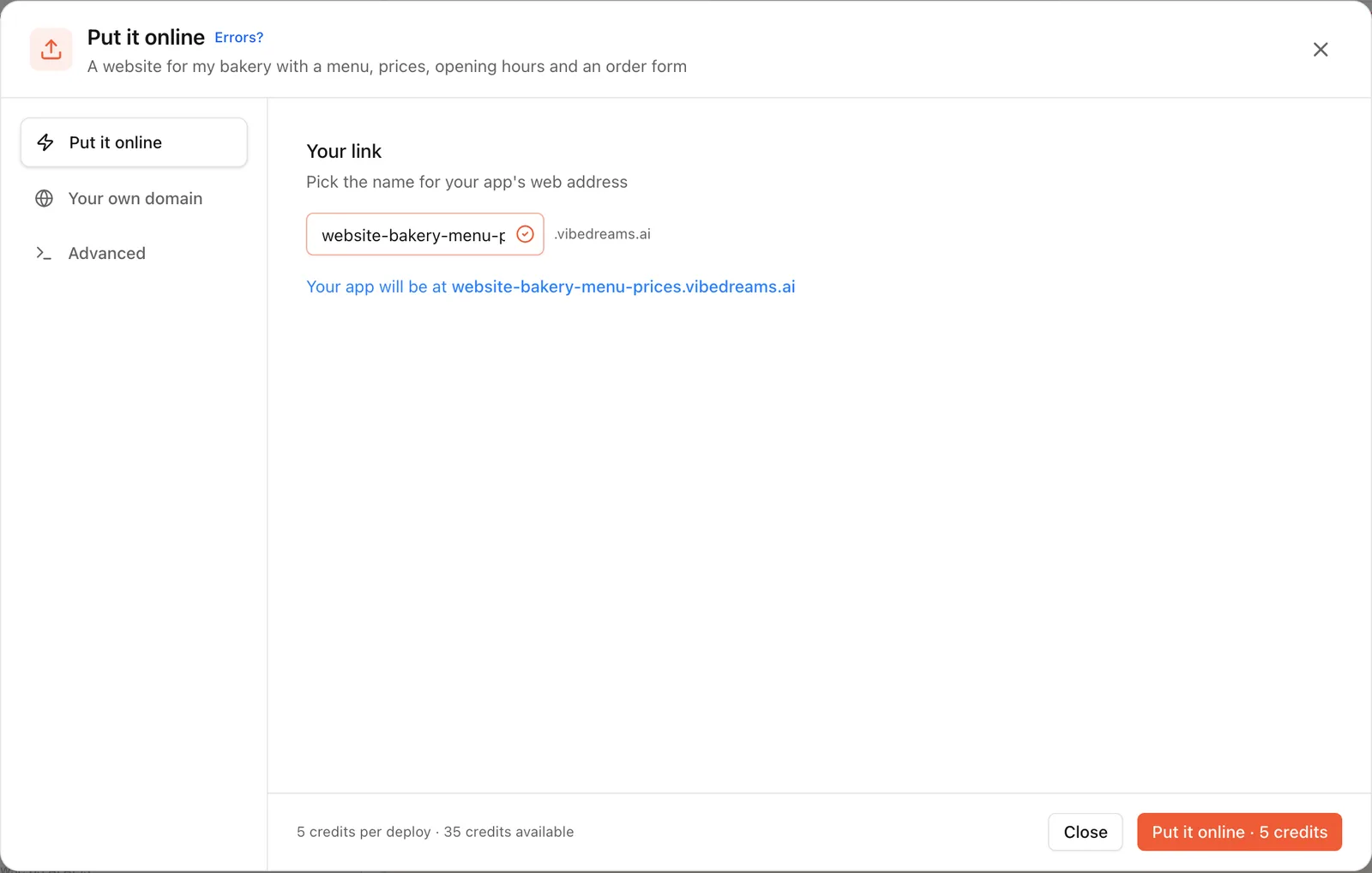
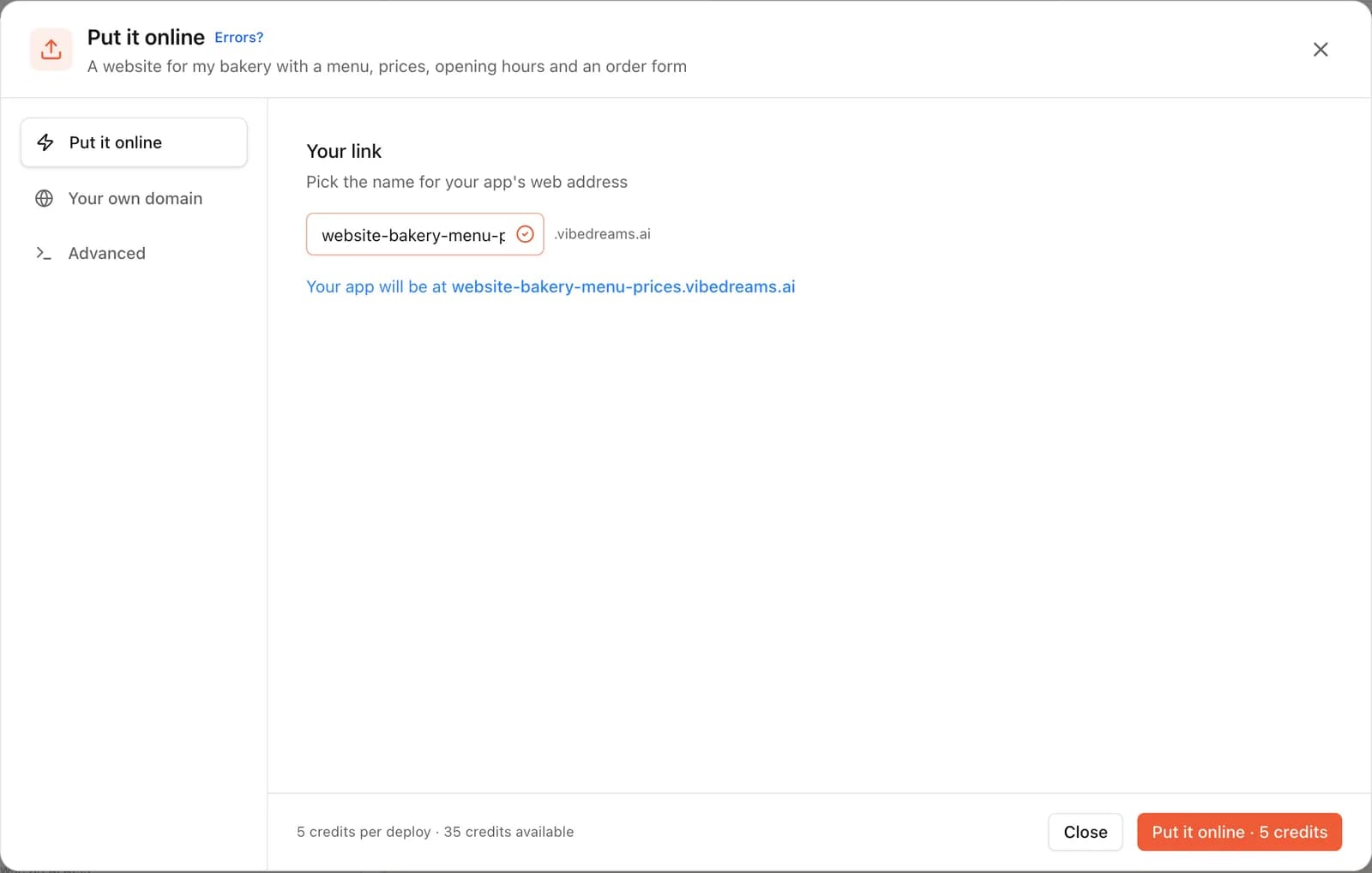
- Tap Put it online, pick your name, for example fluffycuts, and press Put it online. It costs 5 credits and usually takes 1 to 3 minutes.
- Your site is live at an address like fluffycuts.vibedreams.ai with HTTPS. Copy the link or scan the QR code to check it on your phone.
- Keep editing in the preview. The live site stays on the published version until you press Update it, which costs another 5 credits.
If anything fails, the Put it online window shows the error. Paste it into the chat and the AI fixes it, then try again. The Advanced tab shows the full build log.
Because the backend runs on the same host, things like waitlist signups can be saved without extra services. The Aesthetic Waitlist template does exactly that. The code stays yours: download a ZIP or sync to GitHub and host it anywhere later.
Connecting your domain
Whichever route you choose, connecting your own domain works the same way in principle: you add DNS records at your registrar that point at the host.
- On static hosts and app hosts, you usually add a CNAME record for www or a subdomain, and sometimes an A record for the bare domain.
- On website builders, the dashboard tells you which records to add, or connects automatically if you bought the domain through them.
- On VibeDream, open Put it online, then Your own domain, and enter www.yourdomain.com or app.yourdomain.com. Add the TXT record that proves ownership and the CNAME record that points at your app. VibeDream checks automatically, usually within 5 to 30 minutes, and switches on HTTPS when both are found. Root domains are not supported yet, so forward the bare domain to www at your registrar.
Costs compared
Hosting costs are easy to underestimate, because the cheapest option often needs extra services once the site does more than show pages.
- Static hosting: often nothing for small sites, within each host's limits. Extra cost appears when you add forms, logins or data through other services.
- App hosting: free tiers exist but may sleep; always-on instances and databases are paid monthly.
- Website builders: a monthly or yearly plan, usually more for ecommerce features.
- AI builder with hosting: on VibeDream, plans start at $49 a month for 60 credits and include hosting, HTTPS and a vibedreams.ai address. Building uses credits, and each publish or update costs 5 credits. There is no free plan.
- Domain: a yearly registration fee at your registrar, whichever route you pick.
Add up the whole chain, from host to domain to any form or database service, before you choose.
A checklist before you share the link
- Open the site on a phone and a computer, logged out.
- Click every link and submit every form once.
- Check the page title and description that appear when you share the link.
- Add a favicon and a short privacy page if you collect any data.
- Make sure secret keys live in the host's environment settings, not in the site's files. On VibeDream that is the Settings tab.
- Connect your domain, then test both the domain and the original address.