
To integrate an external API with an AI coding agent, give the agent three things: the API's documentation link or an example request, the name of the setting where your key will live, and a clear instruction to call the API from the backend only. Then test the call, check what happens when it fails, and make sure the key never appears in browser code. That pattern works the same in Claude Code, Cursor, Replit or an AI app builder like VibeDream.
An API, short for application programming interface, is a way for your app to ask another service to do something: send an email, look up the weather, take a payment, generate text. Almost every useful app ends up calling a few.
Why keys must live on the backend
Most APIs give you a secret key. Whoever holds it can use the service on your account, and your bill.
- Anything in frontend code is public. Visitors can open developer tools and read every request and file the browser downloads.
- AI agents sometimes take the shortest path, which is calling the API straight from the browser with the key inline. It works in the preview, and it leaks the key the moment the app is online.
- Keys pasted into a chat can end up in code, logs or history.
The fix is always the same: the browser calls your own backend, and your backend calls the external API with a key read from an environment variable.
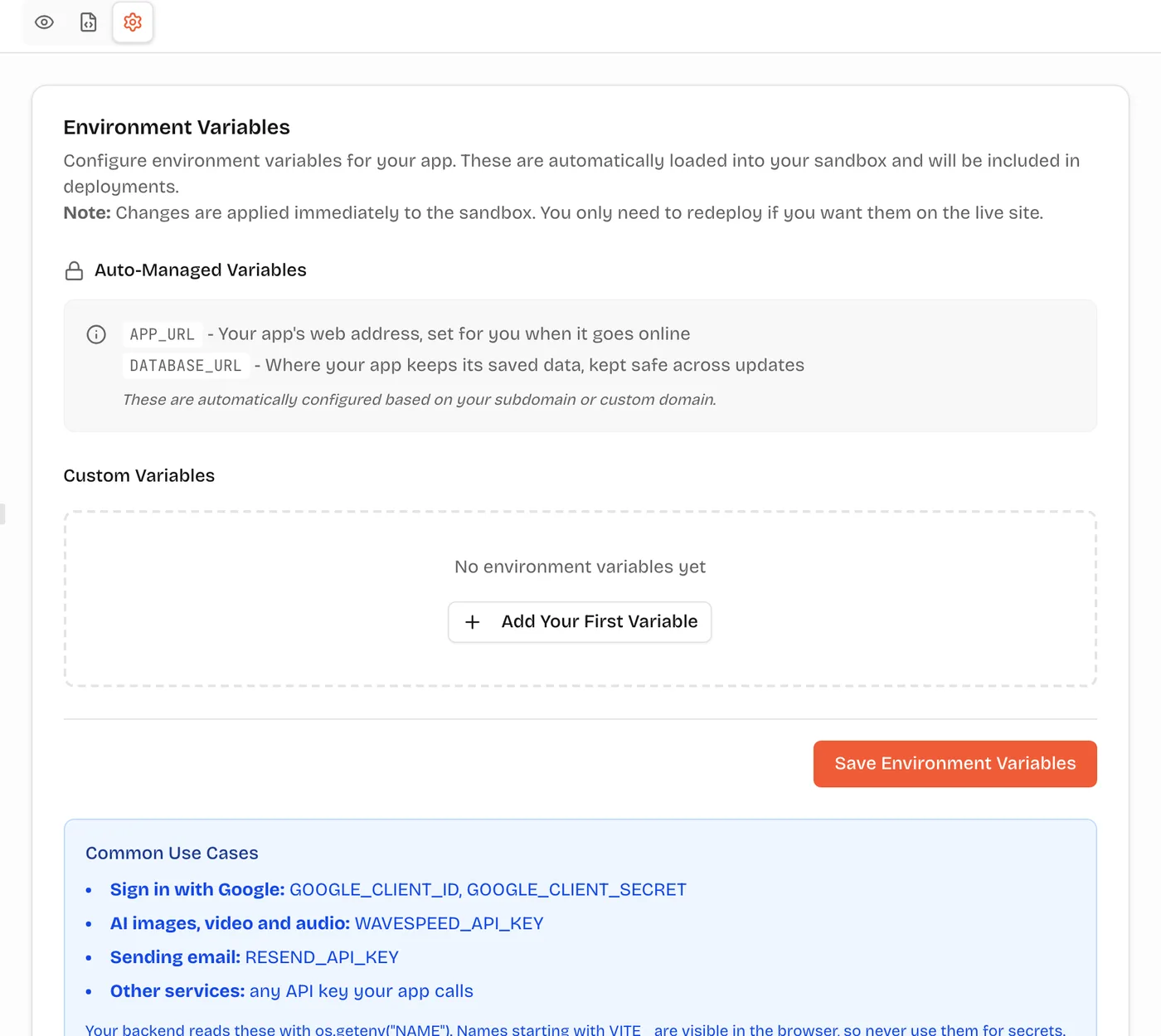
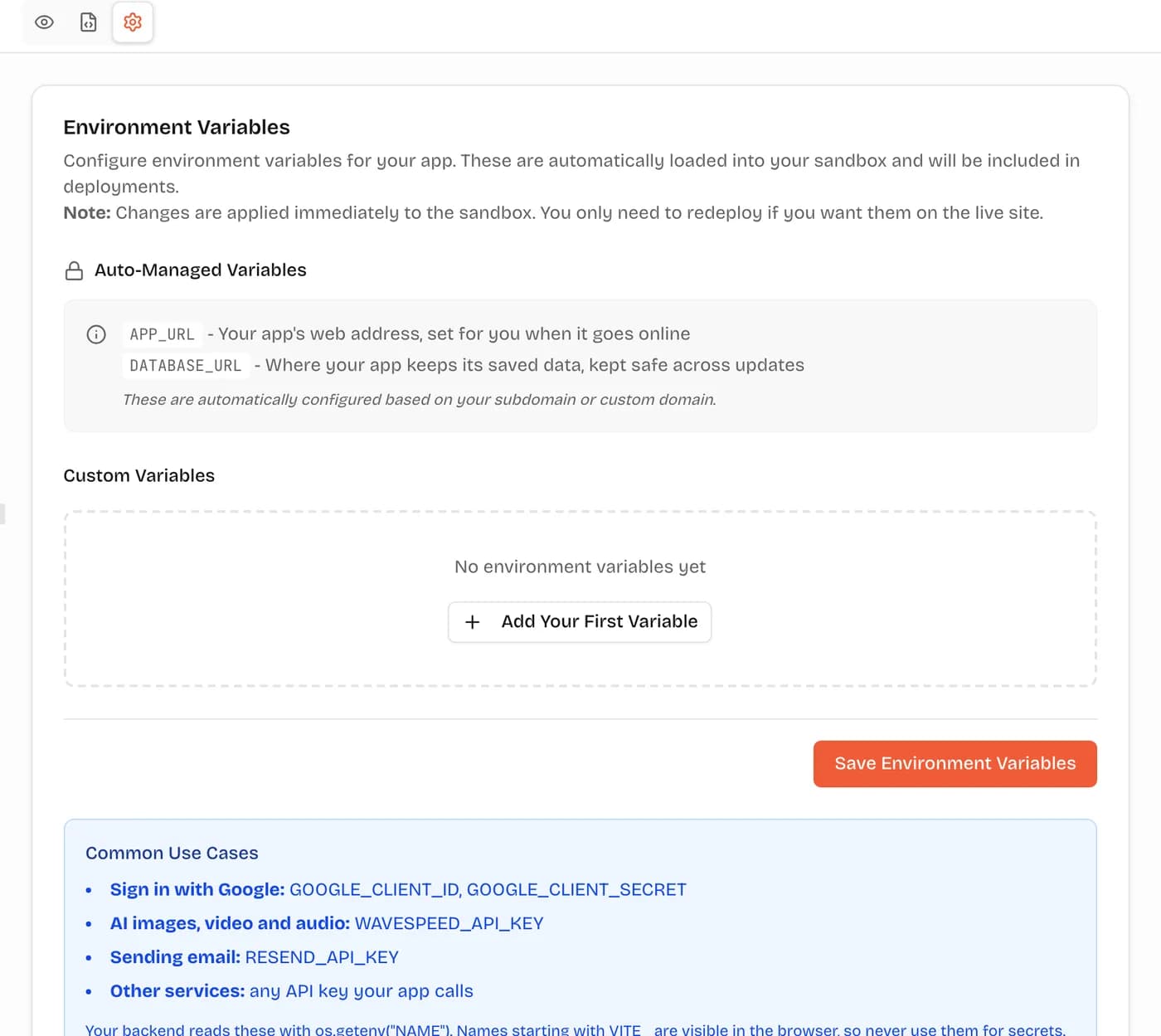
On VibeDream, that environment variable lives in the project's Settings tab, opened with the gear above the preview. The FastAPI backend reads it on the server. One rule to remember: names that start with VITE_ are built into the page and visible to everyone, so never use that prefix for a secret.
The prompt pattern for adding an API
A vague prompt like "add weather" leaves the agent to guess the provider, the endpoint and where the key goes. A good prompt answers those questions up front.
Add a weather widget to the home page.
Use the [provider] current weather API. Docs: [link to the endpoint docs].
I have added my key in Settings as WEATHER_API_KEY.
Call the API only from the backend: add GET /api/weather?city=...
that reads the key from the environment and returns
temperature, description and icon.
The frontend calls /api/weather, never the provider directly.
If the provider fails or times out, return a friendly error
and show "Weather unavailable" instead of crashing.
Cache each city's result for 10 minutes.
Each line does a job: the provider and docs prevent guessing, the setting name keeps the key out of code, the endpoint shape keeps the frontend clean, and the error and cache lines handle the problems you would otherwise meet in production.
If the API has an official SDK, say so: "use the official Python package". If you are unsure which endpoint you need, ask first: "Read these docs and tell me which endpoint gives current weather by city name, then wait."
Testing the call
Test in layers, so you know where a problem is.
- Test the backend endpoint on its own. In a FastAPI app, open /docs on your preview and call GET /api/weather with a city. You should see clean JSON.
- Test bad input: an unknown city, an empty city, a very long string.
- Test failure: temporarily change the key in Settings to a wrong value. The app should show your friendly message, not an error page, and the backend should log the real cause.
- Test from the frontend, on desktop and phone views.
- Search the frontend code for the key's value and for the provider's domain. Neither should appear.
When something fails, copy the exact error into the chat: "GET /api/weather returns 401 from the provider." Agents fix specific errors much faster than "it doesn't work".
Handling errors and rate limits
External APIs fail in predictable ways. Ask the agent to handle each one.
- Timeouts. Set a timeout on every outbound call, a few seconds for most APIs, so a slow provider cannot hang your app.
- Rate limits. Many APIs return 429 when you call too often. Cache results, and back off and retry later rather than hammering.
- Auth errors, 401 or 403. Usually a wrong or expired key, or a key without the right permissions.
- Changed responses. Validate the fields you use, so a missing field becomes a clear error instead of a blank screen.
- Costs. For paid APIs, set a usage limit in the provider's dashboard and ask the agent to limit how often each user can trigger a call.
Worked example, a weather endpoint in FastAPI
Here is roughly what the agent should produce for the prompt above, in a VibeDream React + FastAPI app. The provider URL is a placeholder; use the one from your provider's docs.
import os
import time

import httpx
from fastapi import APIRouter, HTTPException, Query

router = APIRouter(prefix="/api/weather")
CACHE: dict[str, tuple[float, dict]] = {}
TTL_SECONDS = 600


@router.get("")
async def weather(city: str = Query(min_length=1, max_length=80)):
    key = city.strip().lower()
    cached = CACHE.get(key)
    if cached and time.time() - cached[0] < TTL_SECONDS:
        return cached[1]
    api_key = os.environ.get("WEATHER_API_KEY")
    if not api_key:
        raise HTTPException(503, "Weather is not configured yet")
    try:
        async with httpx.AsyncClient(timeout=5) as client:
            response = await client.get(
                "https://api.weather.example/v1/current",
                params={"q": city, "key": api_key},
            )
        response.raise_for_status()
        data = response.json()
    except httpx.HTTPError:
        raise HTTPException(502, "Weather unavailable right now")
    result = {"temperature": data.get("temp"), "description": data.get("summary")}
    CACHE[key] = (time.time(), result)
    return result
Things to check in what your agent writes: the key comes from the environment, the frontend only calls /api/weather, there is a timeout, errors become friendly messages, and the cache stops repeated calls. Field names such as temp and summary depend on your provider's response.
After it works in the preview, put the app online again so the live version gets the change. Keys in Settings apply to the preview straight away, and to the live app once you publish.
APIs people connect first
Most first integrations fall into a few groups, and each has its own catch.
- Email sending, for confirmations and contact forms. Verify your sending domain with the provider, or messages land in spam.
- AI models, for summaries, chat or image generation. Costs scale with use, so cap spending and limit calls per user.
- Maps and places. Many map keys are meant to be used in the browser but restricted to your domain; read the provider's guidance before deciding where the call goes.
- Payments. Use the provider's hosted checkout and verify webhooks on the server. On VibeDream, one-tap payments are coming soon. Today you connect your own Stripe account for real payments.
- Spreadsheets and CRMs, to send form entries somewhere your team already works.
Security checklist for API integrations
- The key lives in an environment variable, not in code or chat.
- The key name does not start with VITE_ or any other prefix that ships to the browser.
- Only the backend calls the external API.
- Every outbound call has a timeout.
- Errors shown to users are friendly; detailed errors go to logs.
- Results are cached where sensible, and per-user limits stop abuse.
- The provider dashboard has a spending or usage cap.
- If a key was ever exposed, it has been rotated at the provider.
- Webhooks from the provider, if any, verify the provider's signature.